
audio-pipeline-auditor-unity.md
Audio Pipeline Auditor CLI
A published TypeScript CLI that scans Unity projects for audio assets, AudioSource issues, ScriptableObject references, and Wwise/FMOD usage, then writes a searchable report that can be opened locally.

Overview
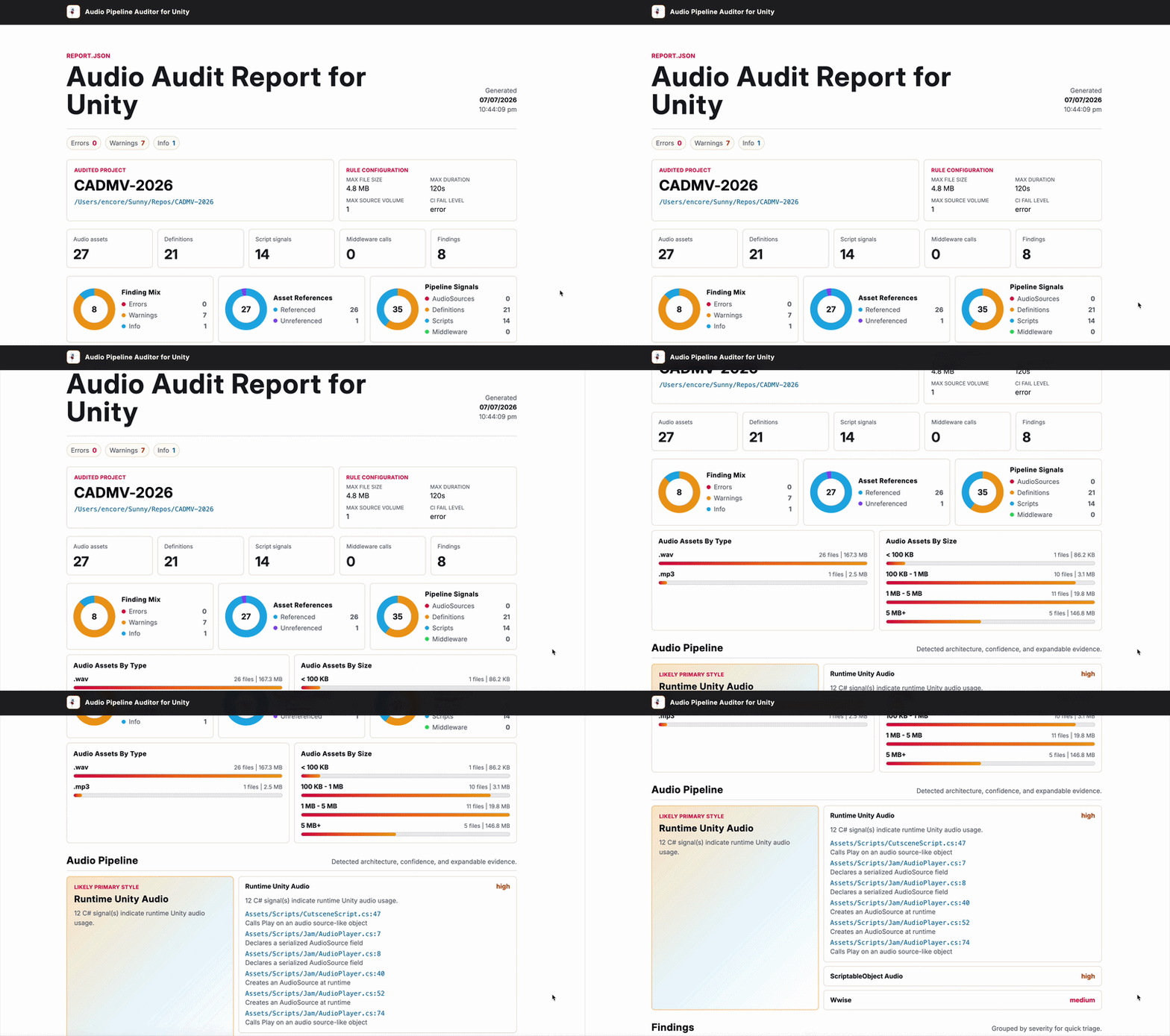
Audio Pipeline Auditor for Unity is a local-first command line tool for checking how a Unity project is using audio. It scans the project folder directly, writes report.json, and generates a static index.html report that can be opened in the browser without uploading the Unity project anywhere.
I built it as a small but complete developer tool: a typed scanner, configurable rules, a report schema, a static React-rendered UI, and an npm package that exposes the audio-audit command.
npm install -g @l1ryx/audio-pipeline-auditor-unity
audio-audit scan /path/to/MyUnityProject --out ./audio-audit-report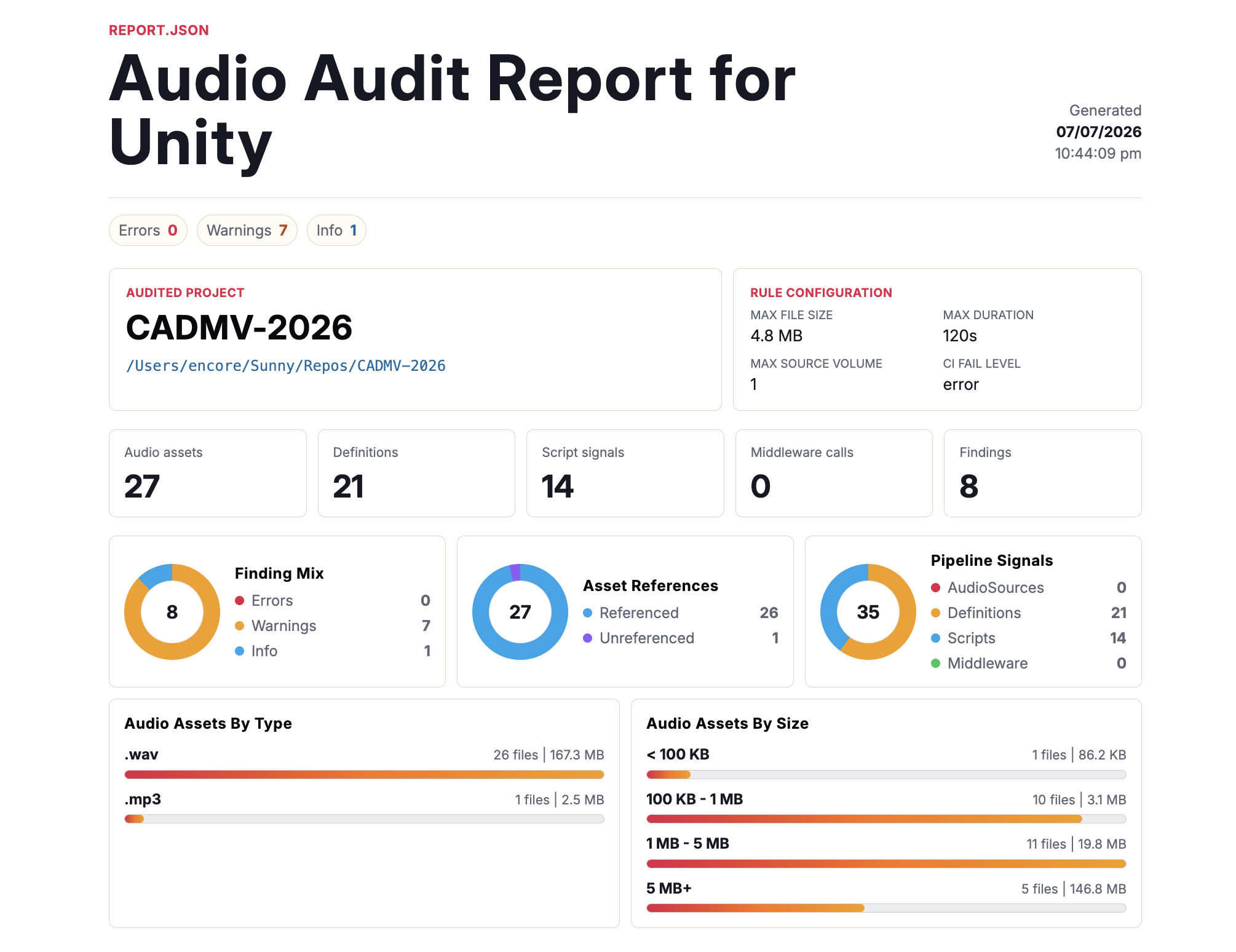
Scanning Unity Projects
The scanner starts from things Unity already stores in plain files: audio assets, .meta GUIDs, serialized scene and prefab YAML, ScriptableObject assets, and C# scripts. That keeps the tool usable from a terminal or CI job without needing to launch the Unity editor.
The main scan function builds a few small indexes, then joins them into one report model.
export async function scanUnityProject(
  projectPath: string,
  config: AudioAuditConfig
): Promise<AudioAuditReport> {
  const absoluteProjectPath = path.resolve(projectPath);
  const guidIndex = await buildAudioGuidIndex(absoluteProjectPath);
  const assets = await scanAudioAssets(absoluteProjectPath);
  const { references, audioSources } = await scanUnityTextAssets(absoluteProjectPath, guidIndex);
  const { signals: scriptAudioSignals, middlewareCalls } = await scanScriptAudio(absoluteProjectPath);
  const scriptableAudioDefinitions = await scanScriptableAudioDefinitions(absoluteProjectPath, guidIndex);
  const pipelineProfiles = await detectPipelineProfiles({
    projectPath: absoluteProjectPath,
    audioSources,
    scriptAudioSignals,
    middlewareCalls,
    scriptableAudioDefinitions
  });
  const referencesByPath = groupReferencesByPath(references);
  const linkedAssets = assets.map((asset) => ({
    ...asset,
    referencedBy: referencesByPath.get(asset.path) ?? []
  }));

  return {
    schemaVersion: audioAuditReportSchemaVersion,
    projectPath: absoluteProjectPath,
    assets: linkedAssets,
    references,
    audioSources,
    pipelineProfiles,
    scriptAudioSignals,
    middlewareCalls,
    scriptableAudioDefinitions,
    findings: runRules(linkedAssets, audioSources, scriptableAudioDefinitions, config)
  };
}
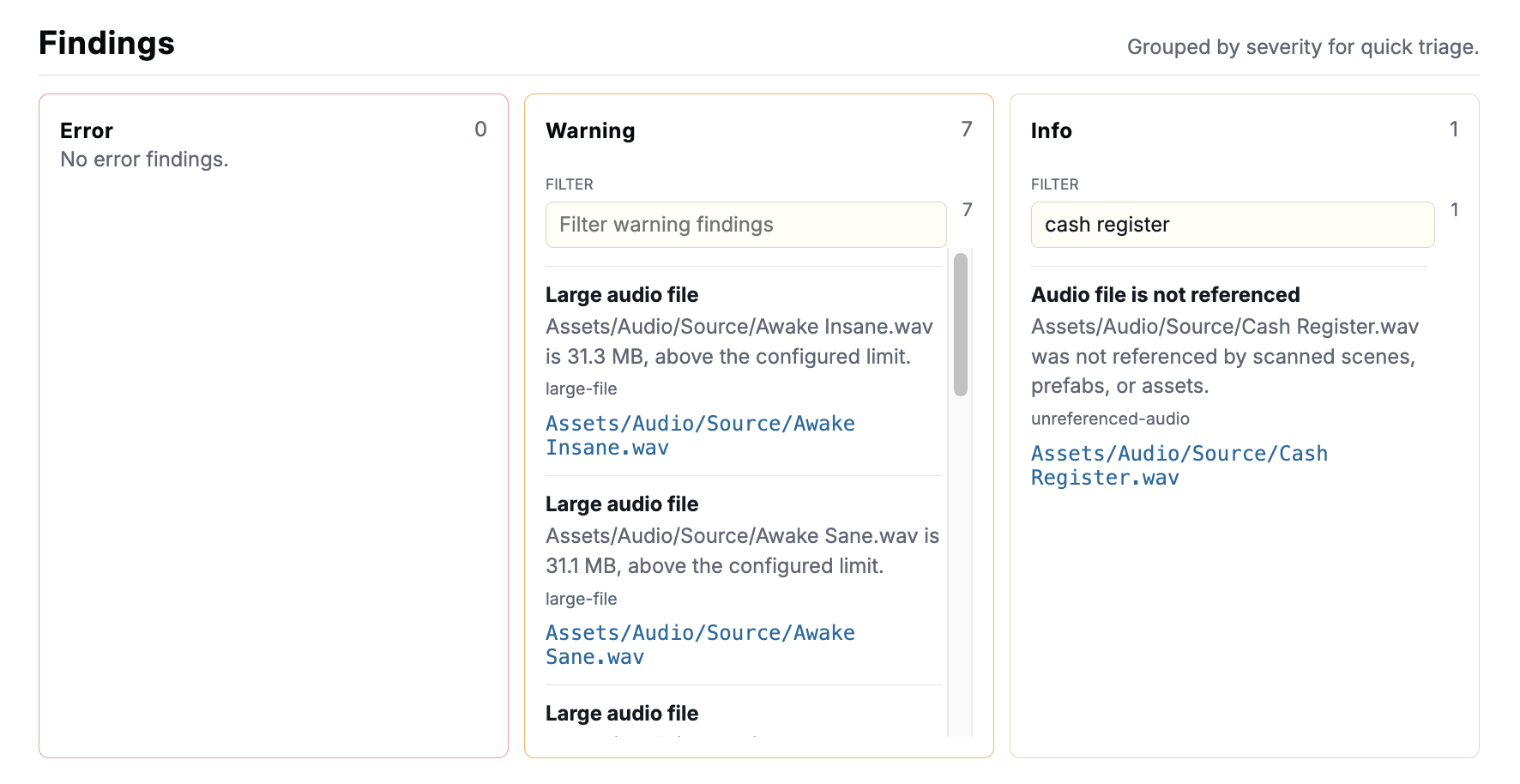
The report calls out practical issues: oversized audio files, unreferenced clips, unresolved GUIDs, missing AudioSource clips, missing mixer routing, Play On Awake, and suspicious volume settings. The intent is mainly to give a developer a quick map of the audio surface area before digging in manually.
Pipeline Detection
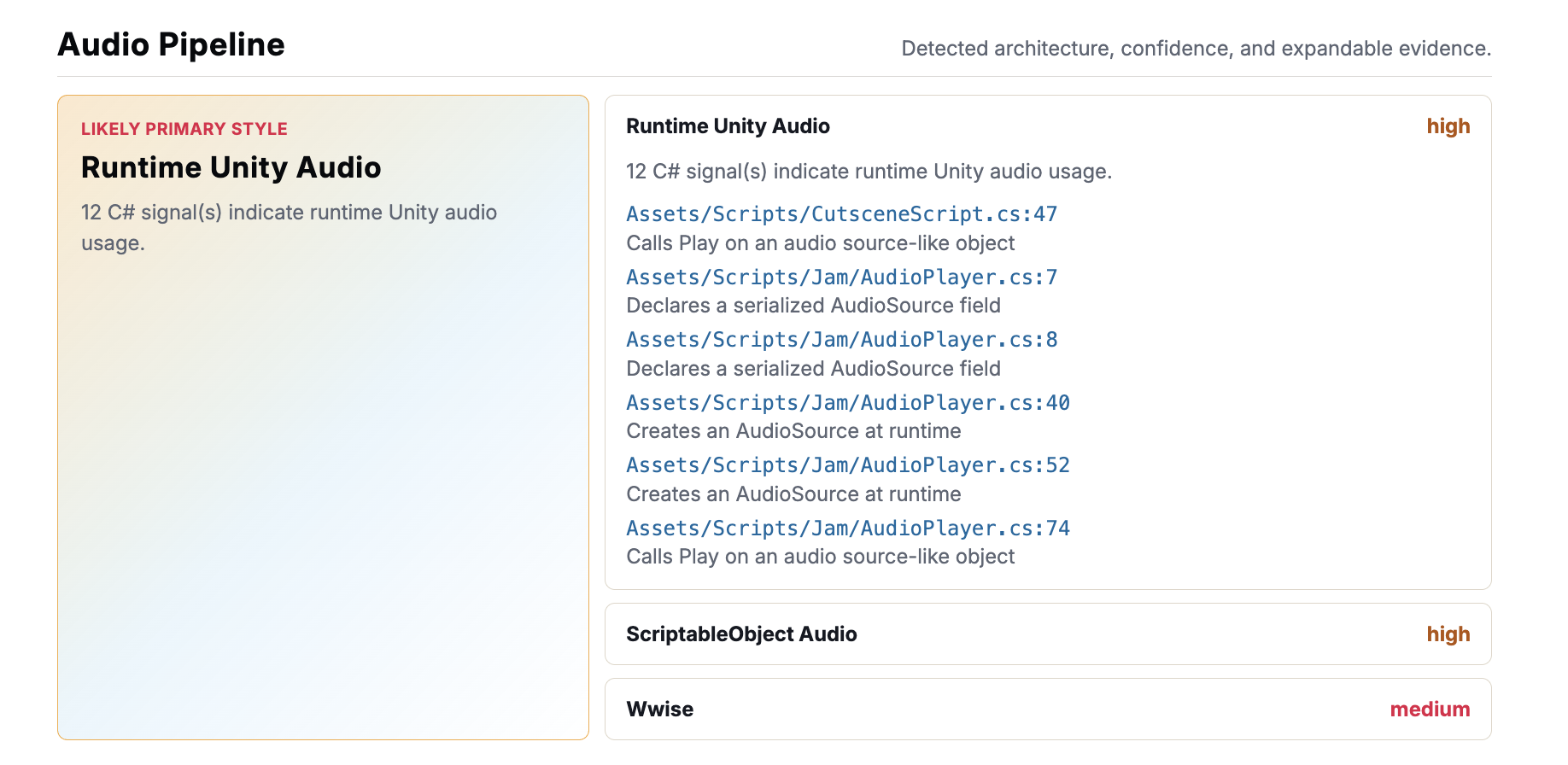
Unity audio projects often mix several styles: serialized AudioSource components, runtime playback code, ScriptableObject-driven audio definitions, and middleware calls. I wanted the report to describe that shape rather than only list raw files.
The C# scanner looks for small evidence signals, then the pipeline detector groups those signals into higher-level profiles. For middleware, I kept this version deliberately simple: detect Wwise and FMOD API calls, record where they appear, and extract the first string argument when it looks like an event name.
const middlewarePatterns = [
  {
    engine: "Wwise",
    apiPrefix: "AkSoundEngine",
    pattern:
      /\bAkSoundEngine\s*\.\s*(PostEvent|SetState|SetSwitch|SetRTPCValue|PostTrigger)\s*\(([^)]*)\)/u
  },
  {
    engine: "FMOD",
    apiPrefix: "RuntimeManager",
    pattern:
      /\b(?:FMODUnity\.)?RuntimeManager\s*\.\s*(PlayOneShot|CreateInstance|LoadBank|UnloadBank)\s*\(([^)]*)\)/u
  }
];
That makes the report useful even for projects that do not use Unity’s built-in audio pipeline heavily.
Static Report UI
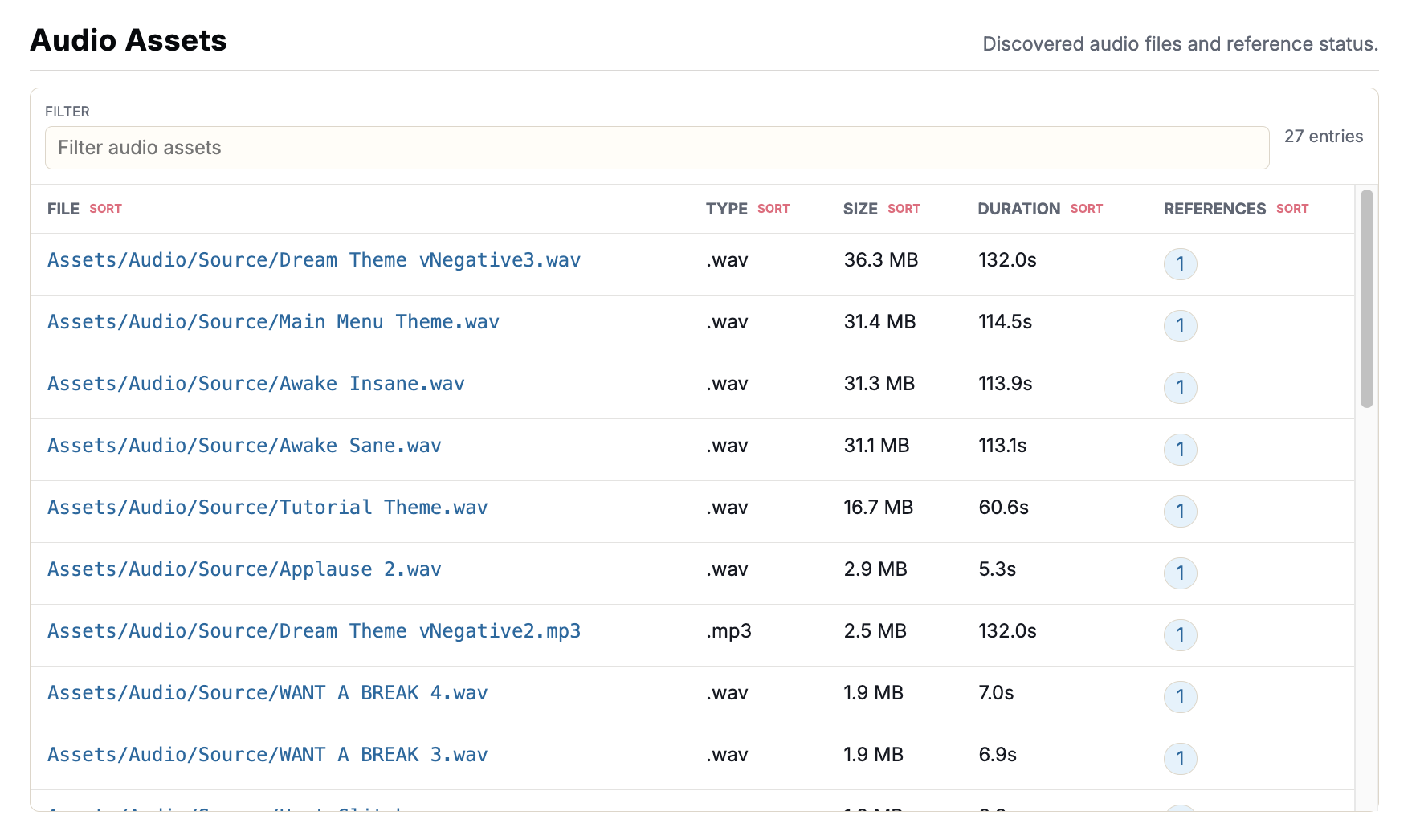
The report UI is generated as static HTML with React server rendering. That gives the project a frontend without requiring users to run a hosted web app or upload a project. The generated folder is just an artifact: index.html, report.json, embedded styling, embedded font/favicon assets, and a small script for table interactions.
export async function writeHtmlReport(
  report: AudioAuditReport,
  outputDirectory: string
): Promise<string> {
  await mkdir(outputDirectory, { recursive: true });

  const htmlPath = path.join(outputDirectory, "index.html");
  const markup = `<!doctype html>${renderToStaticMarkup(
    <ReportHtml report={report} />
  )}`;

  await writeFile(htmlPath, markup, "utf8");
  return htmlPath;
}
For larger projects, the report needs to stay readable when tables get long. I split the UI into focused sections with searchable, sortable, scrollable tables for findings, audio assets, script signals, middleware calls, and ScriptableObject definitions.
Packaging the Tool
The finished version is published as a scoped npm package, so a user can install the CLI once and run it from any Unity repository. The project can still be cloned and built from source, but the normal path is now:
npm install -g @l1ryx/audio-pipeline-auditor-unity
audio-audit init
audio-audit scan /path/to/MyUnityProject --out ./audio-audit-report