
deja-you-spectral-imprints.md
Spectral Imprints DSP for Deja You
A custom real-time DSP layer for Deja You that gives replayed lifetimes progressively degraded, memory-like audio.
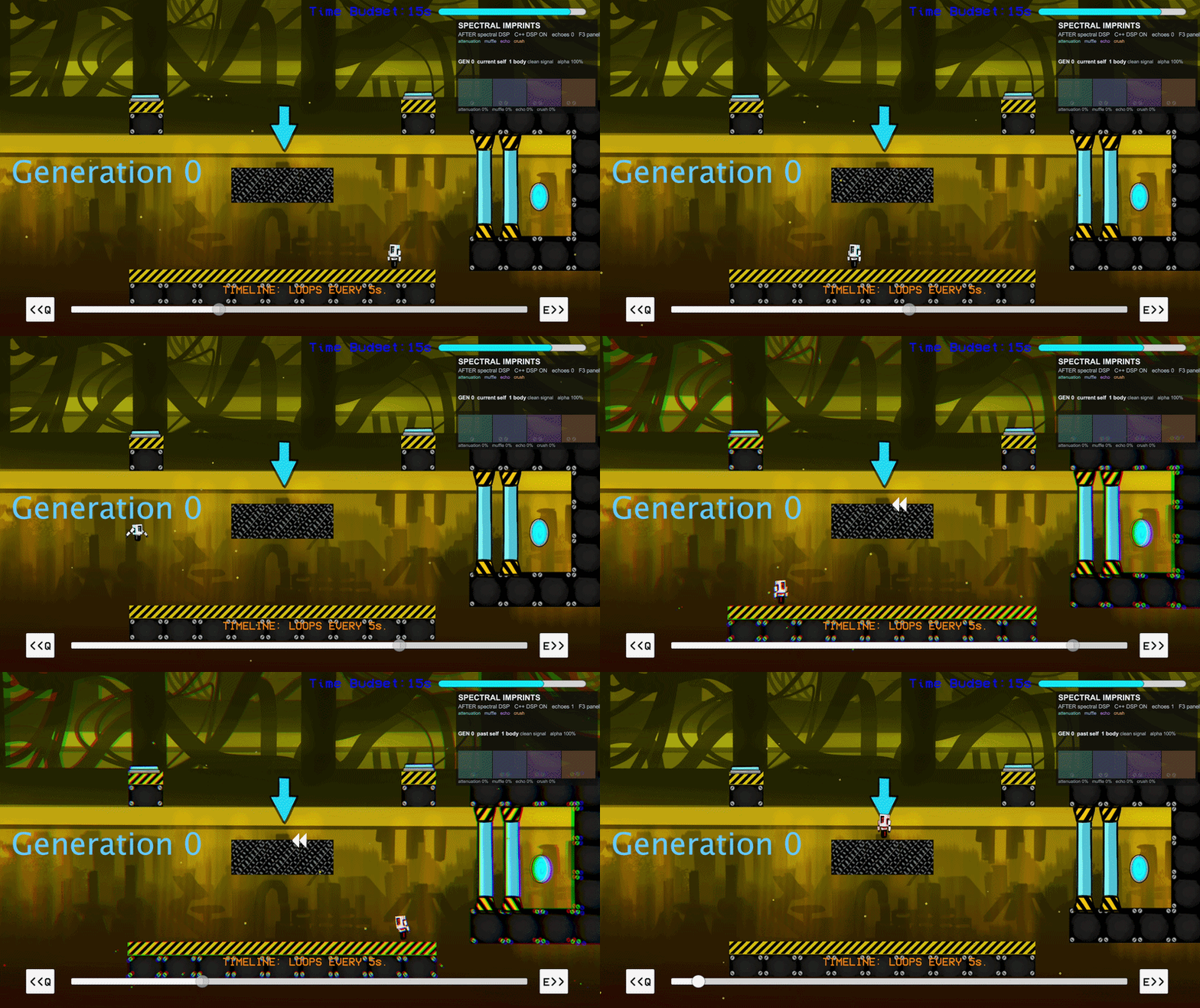

Overview
Deja You is a 2D time-loop platformer where each rewind creates a replayed version of the player. These past lifetimes keep performing the actions the player recorded earlier, so solving a level means cooperating with older versions of yourself.
Spectral Imprints is a custom DSP layer I added to make those replayed lifetimes audible as memory traces. Instead of every ghost using the same clean sound as the current player, each lifetime receives a generation-based audio profile. Newer ghosts stay clear and close. Older ghosts become quieter, darker, delayed, and more degraded. I also created the sound design for the replacement character sounds, so the source material and the processing chain were designed together.
I built this as a middleware-independent audio programming feature inside a project that originally used Wwise for character events. The Spectral Imprints layer is fully outside that middleware: character sounds are played through a custom native/runtime audio layer and processed with lower-level buffer code tied directly to gameplay state.
The Audio Problem
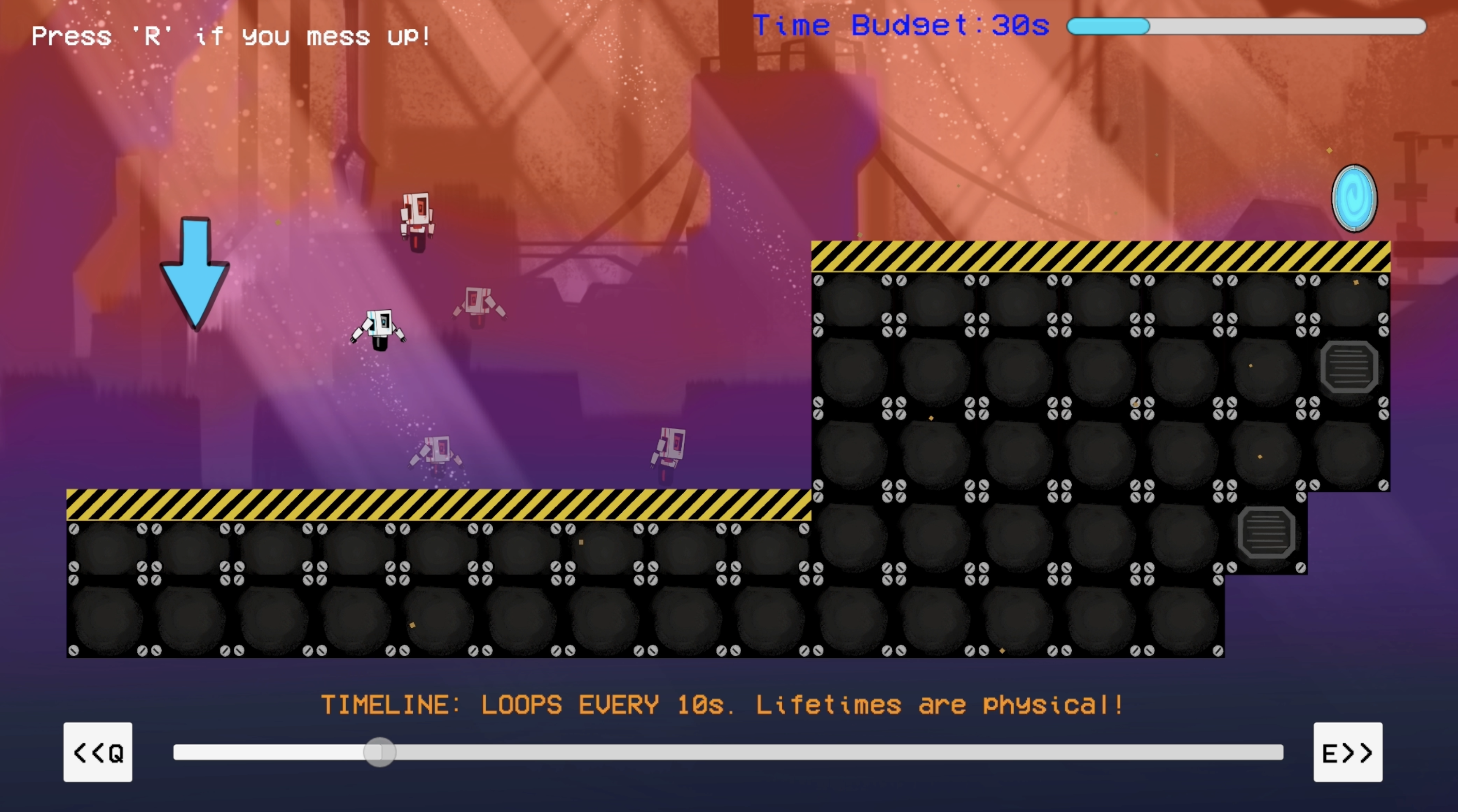
The core mechanic asks the player to stack multiple lifetimes in the same space. That creates an audio problem: if every player and ghost uses the same clean movement, jump, land, spawn, interact, and death sounds, repeated actions quickly blur together.
The problem was not that the individual sounds were wrong. The problem was that the game needed audio to communicate which lifetime the player was hearing.
Before, I kept all ghosts using the same clean sound profile as the current player. That made the contrast pretty clear to me: the scene still worked, but the audio didn’t express age, distance, or memory.
Generation-Driven Profiles
I treated each replayed lifetime as a generation. The current player is generation 0. When a new lifetime starts, existing ghosts age by one generation. That generation value drives both the audio processing and the ghost sprite alpha.
public void SetGenerationIndex(int value)
{
    generationIndex = Mathf.Max(0, value);
    GetSpectralImprint()?.SetGenerationIndex(generationIndex);
    GetGenerationVisual()?.SetGenerationIndex(generationIndex);
}
The audio profile is continuous rather than a separate effect suite per generation. Older generations push the same DSP chain further:
- generation 0: clean/current sound
- generation 1: slight attenuation, muffling, echo, and degradation
- generation 2: stronger attenuation, lower cutoff, more delay, lower bit depth, more sample-hold
- generation 3+: very quiet, strongly degraded, distant memory layer
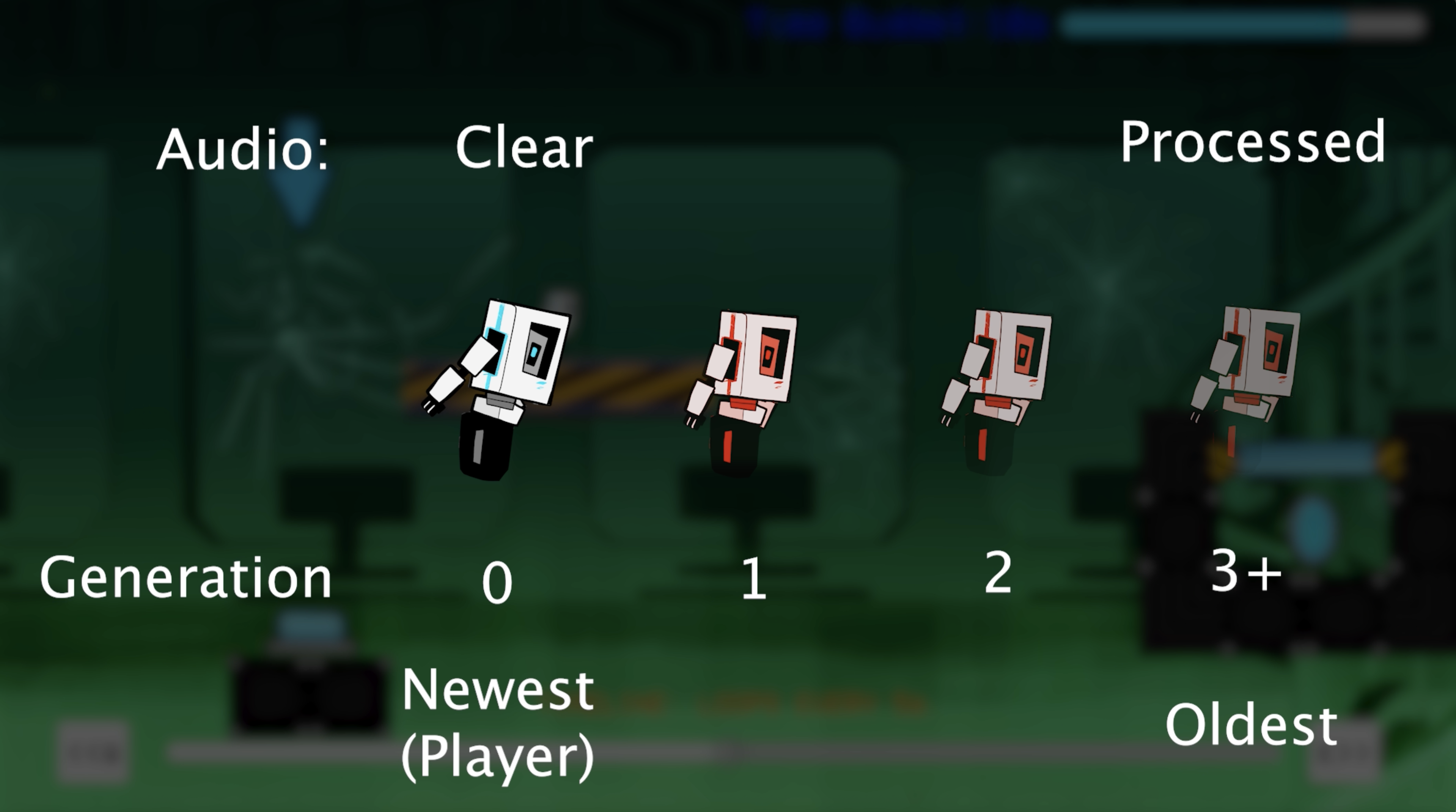
The generation mapping lives in the source component that owns the character audio clips. It converts gameplay age into a DSP profile: gain, low-pass cutoff, delay mix, delay feedback, bit depth, and sample-hold amount.
float ageAmount = 1f - Mathf.Pow(lowPassFalloff, effectiveGeneration);

dspProfile.gain = quietMemory
    ? (muteQuietGenerations ? 0f : quietGenerationVolume)
    : Mathf.Max(minGenerationVolume, 1f - effectiveGeneration * volumeLossPerGeneration);

dspProfile.lowPassCutoff = Mathf.Lerp(maxLowPassCutoff, minLowPassCutoff, ageAmount);
dspProfile.delayWet = Mathf.Lerp(0f, maxDelayWet, ageAmount);
dspProfile.delayFeedback = Mathf.Lerp(0f, maxDelayFeedback, ageAmount);
dspProfile.bitDepth = Mathf.Lerp(cleanBitDepth, minBitDepth, ageAmount);
dspProfile.sampleHold = Mathf.Clamp(
    1 + Mathf.FloorToInt(ageAmount * (maxSampleHold - 1)),
    1,
    maxSampleHold);
Real-Time DSP Chain
The audio is processed in Unity’s audio callback using a custom filter component attached to runtime audio sources. The chain is intentionally small and readable:
- smooth the target DSP profile
- apply one-pole low-pass filtering
- read and write a feedback delay line
- mix the delayed signal back into the filtered signal
- apply sample-hold degradation, bit-depth reduction, gain, and clipping
float filtered = lowPass.Process(ch, input, lowPassAlpha);
float delayed = delayLine.Read(ch, delaySamples);
delayLine.Write(ch, Mathf.Clamp(filtered + delayed * profile.delayFeedback, -1f, 1f));

data[dataIndex] = filtered + delayed * profile.delayWet;
I also added pitch and volume variation per sound trigger so repeated one-shots do not feel as mechanical, plus fade-in and fade-out behavior for the rolling loop so movement audio does not pop in abruptly.
Native C++ Degradation Kernel
The final degradation stage is isolated into a small native C++ DSP kernel. C# still owns gameplay state, parameter mapping, audio source setup, filtering, and delay. The C++ module handles a focused per-sample pass: sample-hold degradation, bit-depth quantization, output gain, and clipping.
if (sampleHoldEnabled && ch < heldCapacity)
{
    if (captureHeldSample)
        heldSamples[ch] = processed;

    processed = heldSamples[ch];
}

processed = Quantize(processed, bitLevels);
data[dataIndex] = Clamp01Audio(processed * gain);
This may not have been necessary for a project of this size, but it keeps the tight sample math separate from gameplay code, creates a small native systems layer, and is like how more performance-sensitive DSP can be isolated in larger audio runtimes.
The C# side calls the native module through a narrow interop wrapper. If the native plugin is missing or fails to load, the system falls back to the managed implementation of the same degradation stage.
if (SpectralImprintNativeDsp.TryProcessDegradation(
    data,
    data.Length,
    channels,
    channelCount,
    profile.gain,
    bitLevels,
    profile.sampleHold,
    nativeDegradationState))
{
    return;
}

nativeDspAvailable = false;
ProcessManagedDegradationOnly(...);