ducks-afar-reactive-audio.md
Puzzle-Aware Audio Architecture for Ducks Afar
A reactive Unity/Wwise audio architecture for Ducks Afar, where puzzle choices drive cadence cues, hardworm voicings, and harmonic music states.

Overview
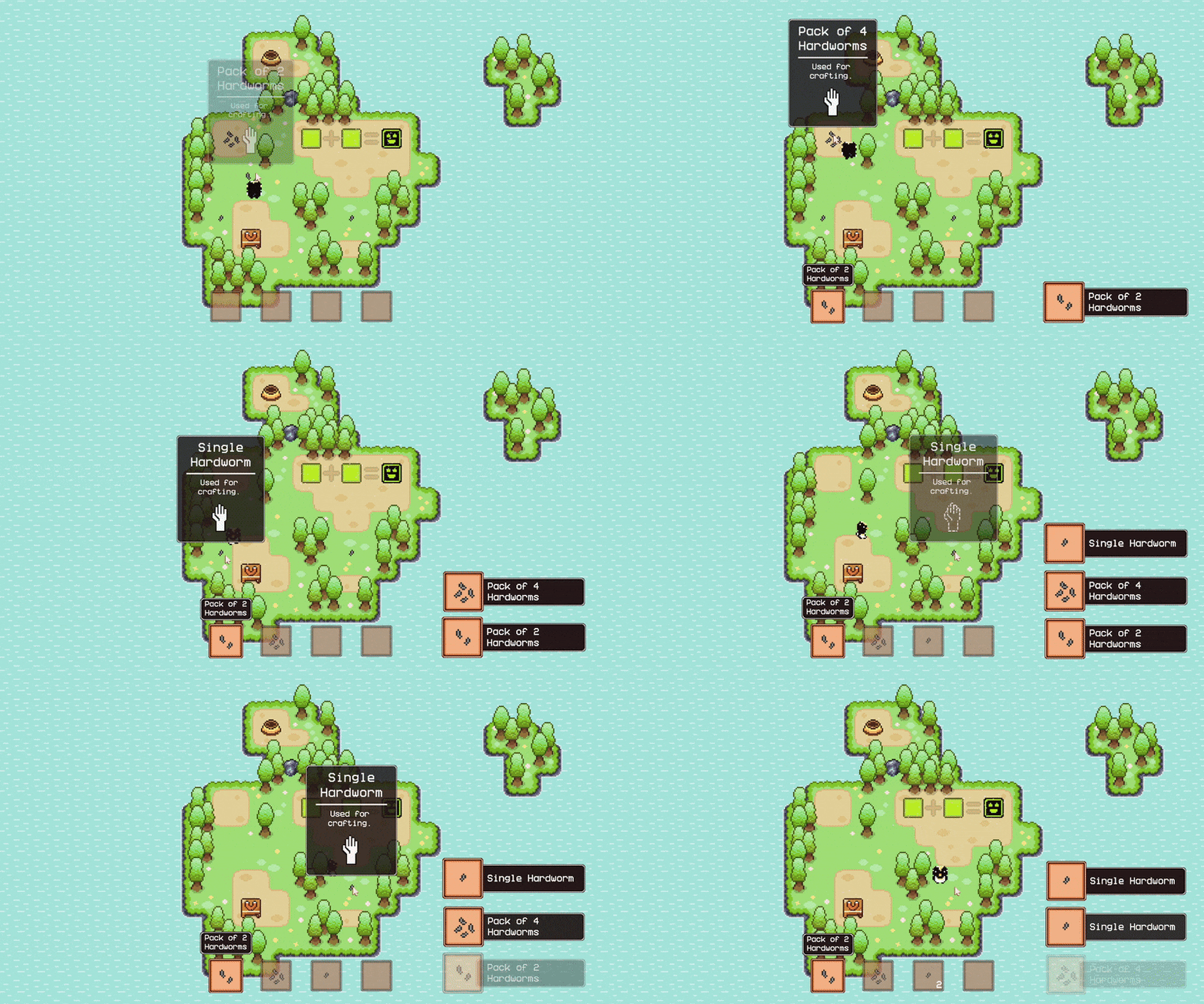
Ducks Afar is a puzzle-driven game where players manipulate creatures called hardworms to solve machine-based challenges. Each machine performs a simple operation, such as addition or subtraction, and the player’s goal is to reach specific target values without directly splitting or combining hardworms by hand.
I recommend watching the demo video above first, since it shows the puzzle loop, machine interactions, and reactive audio changes in motion before this page breaks down the implementation.
As both the game’s creator and audio programmer, I wanted the audio to respond to the actual puzzle logic as much as possible. Picking up hardworms, placing them into machines, taking outputs, and changing the puzzle’s harmonic state all feed into the audio system.
The current implementation uses Unity and Wwise, with gameplay code talking to project-authored ScriptableObjects instead of raw Wwise strings whenever possible.
Data-Driven Audio Assets
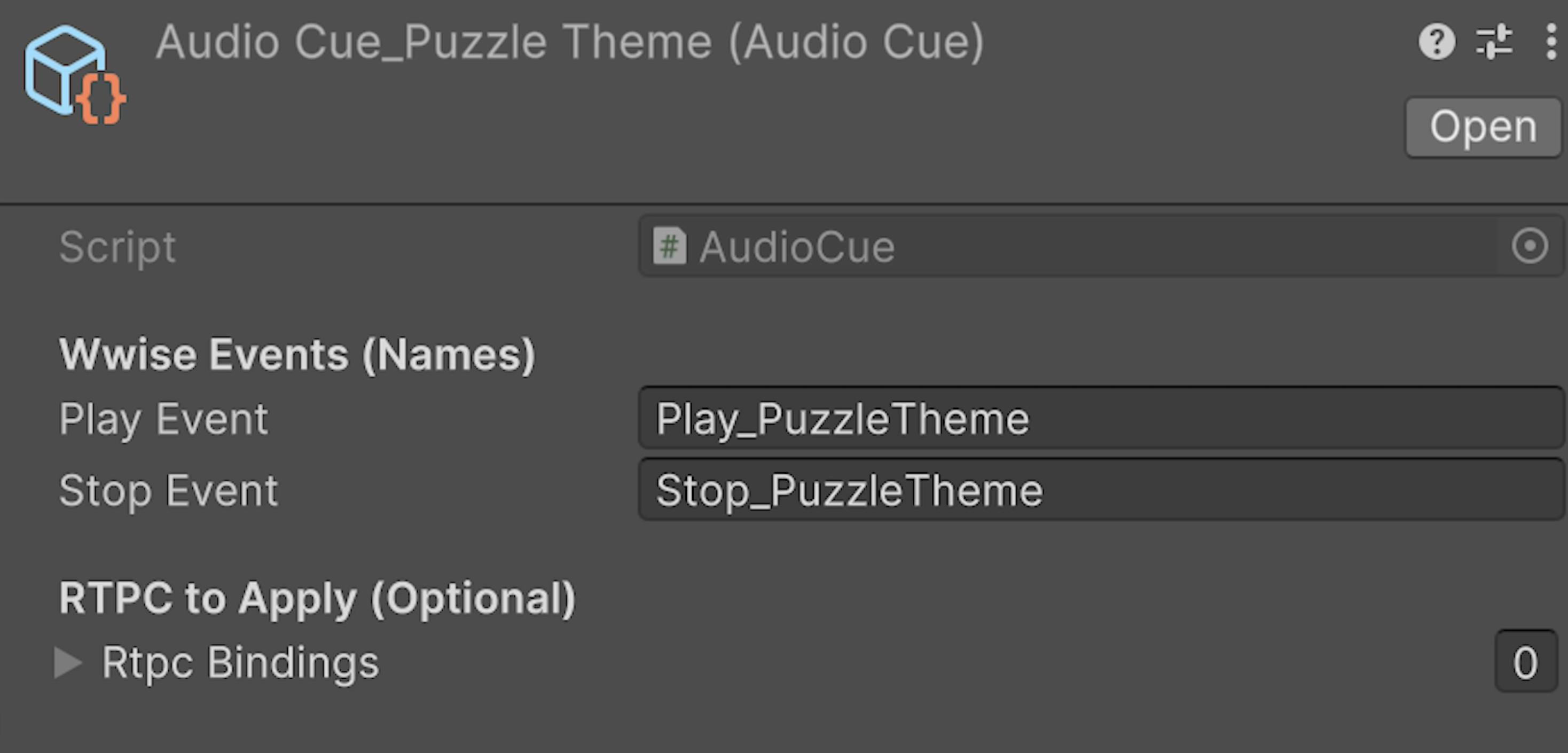
The core authoring unit is an AudioCue ScriptableObject. A cue stores the Wwise play event, an optional stop event, and optional RTPC values to apply when the cue is triggered. This gives gameplay scripts a small, inspectable asset reference instead of asking every object to know exact middleware event names.
[CreateAssetMenu(menuName = "Audio/Audio Cue", fileName = "AudioCue_")]
public sealed class AudioCue : ScriptableObject
{
    [Header("Wwise Events (Names)")]
    public string playEvent;
    public string stopEvent;

    [Header("RTPC to Apply (Optional)")]
    public RtpcBinding[] rtpcBindings;

    [Serializable]
    public struct RtpcBinding
    {
        public AudioRtpc rtpc;
        public float value;
        public bool isGlobal;
    }

    public bool HasPlayEvent => !string.IsNullOrWhiteSpace(playEvent);
    public bool HasStopEvent => !string.IsNullOrWhiteSpace(stopEvent);
}
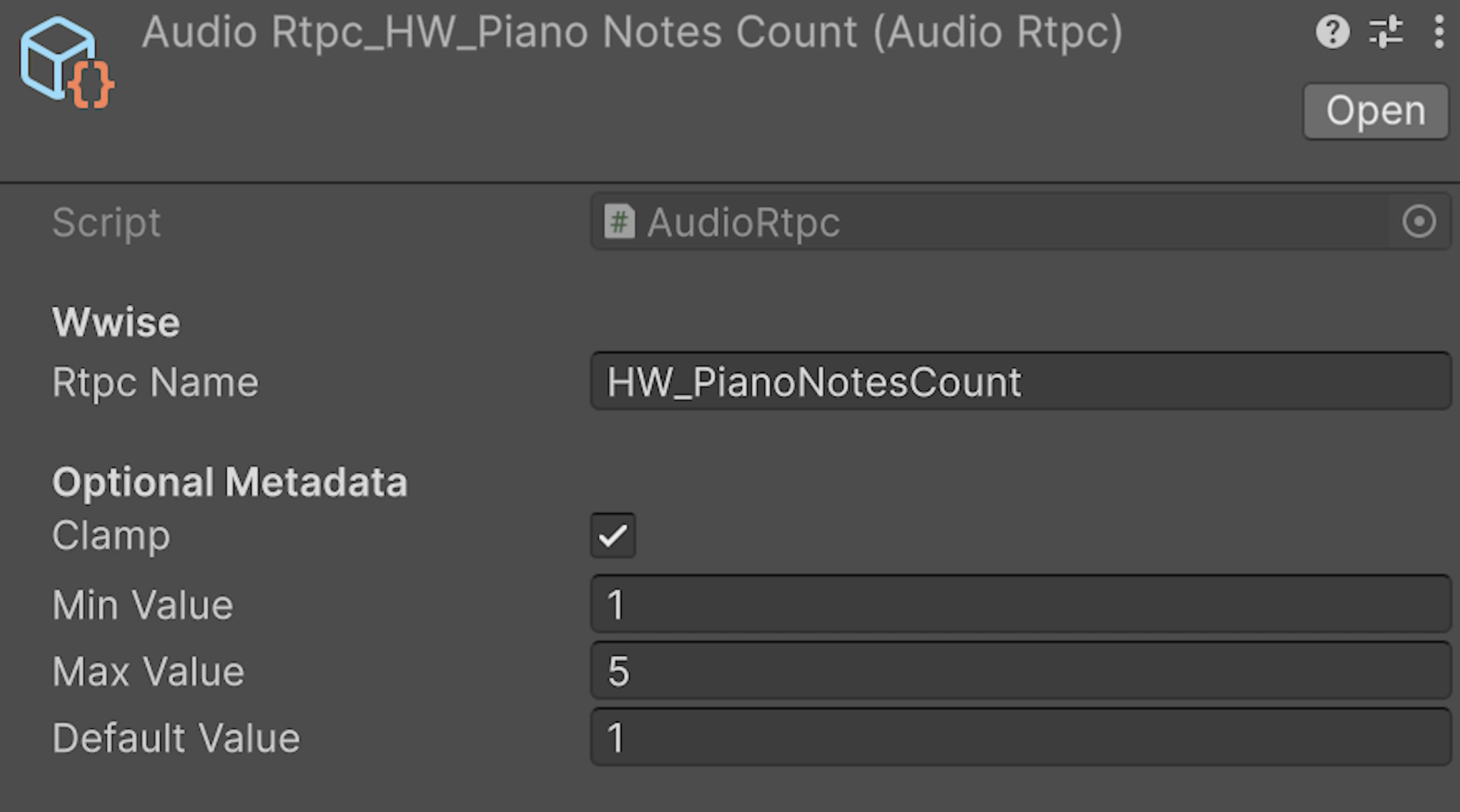
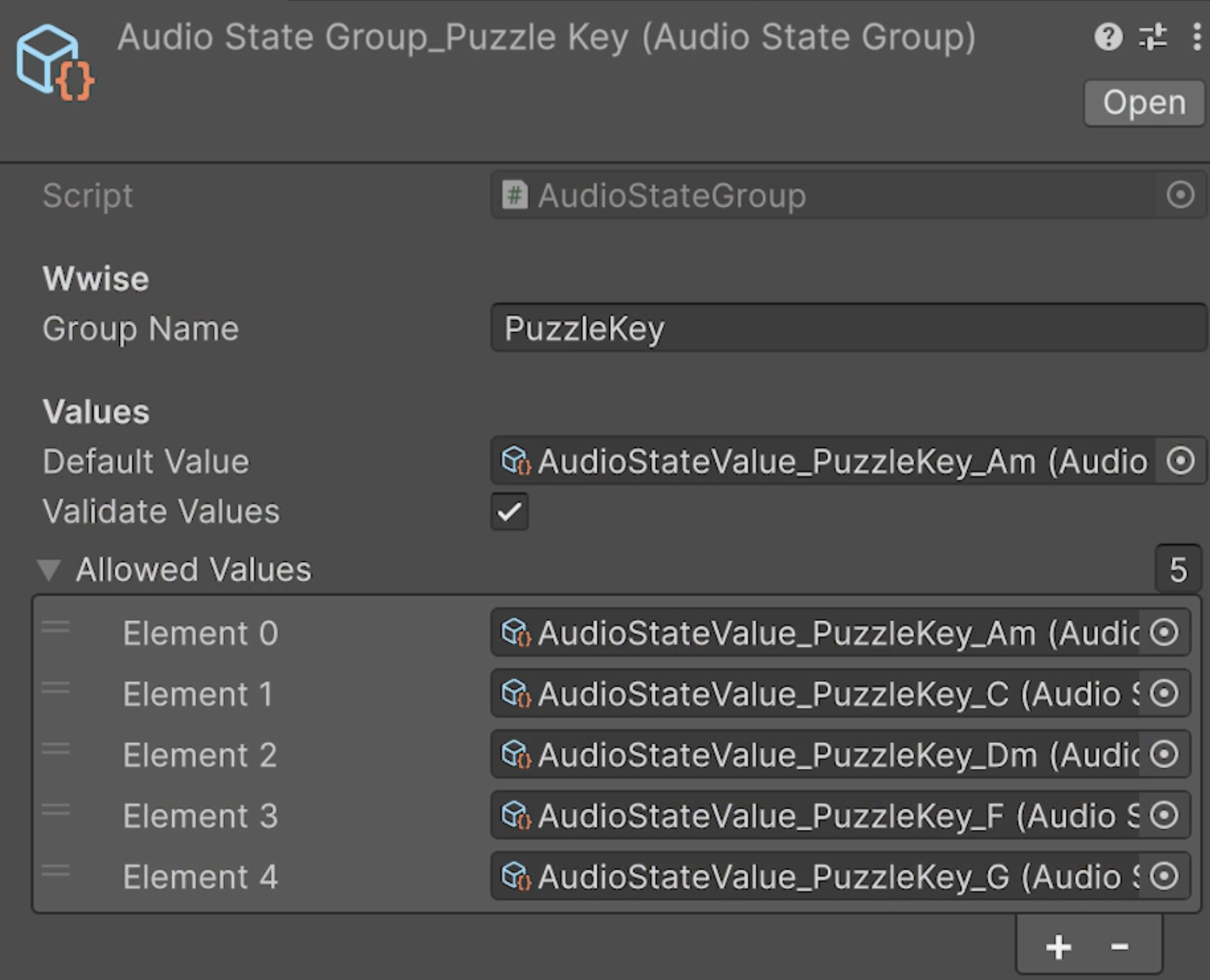
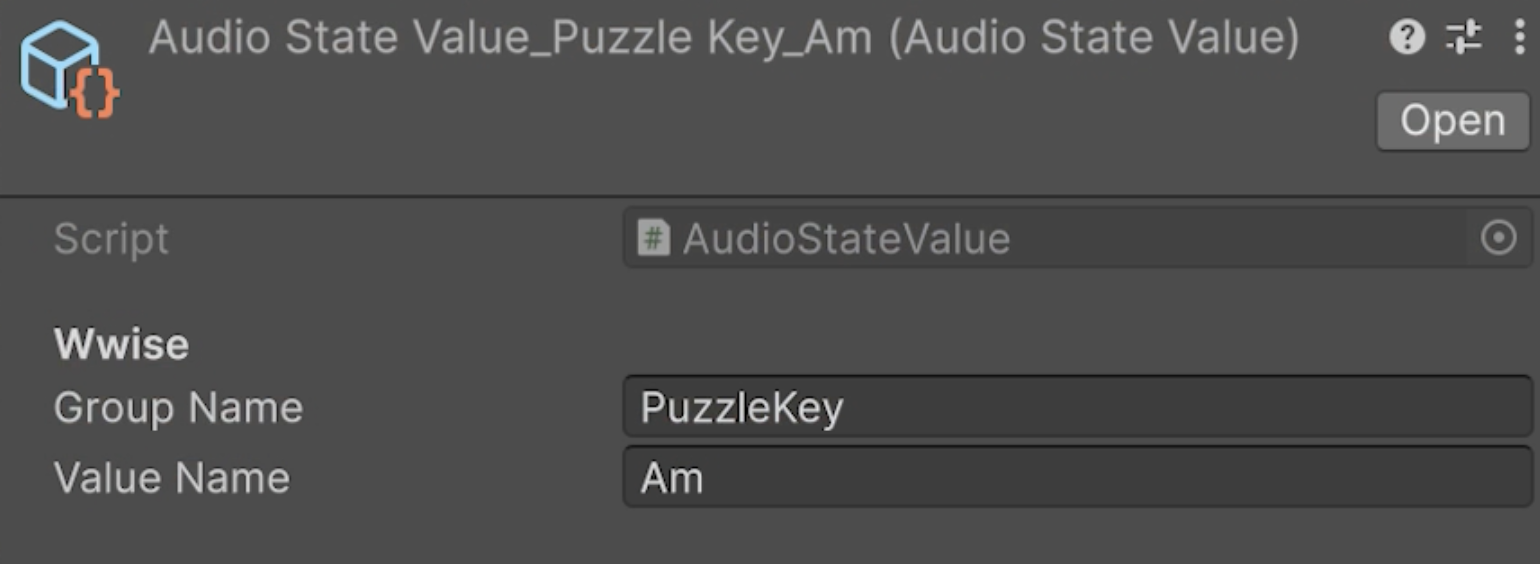
RTPCs and Wwise states use the same pattern. The Unity side stores small typed assets for parameter names, state groups, and state values, then the runtime resolves them through one audio model. This makes authoring mistakes easier to catch in the Inspector and avoids scattering string calls across puzzle scripts.
[CreateAssetMenu(menuName = "Audio/Audio RTPC", fileName = "AudioRtpc_")]
public sealed class AudioRtpc : ScriptableObject
{
    public string rtpcName;
    public bool clamp = false;
    public float minValue = 0f;
    public float maxValue = 100f;

    public bool IsValid => !string.IsNullOrWhiteSpace(rtpcName);

    public float ClampValue(float value)
    {
        if (!clamp) return value;
        return Mathf.Clamp(value, minValue, maxValue);
    }
}
Middleware Facade
Gameplay scripts do not call Wwise directly. They call ProjectAudio, a small static facade that checks whether the game context exists, validates the cue or RTPC, and forwards the request to the persistent audio state model.
public static class ProjectAudio
{
    public static uint PlayOn(AudioCue cue, GameObject emitter)
    {
        if (cue == null || !cue.HasPlayEvent)
            return 0;

        if (!Game.IsReady || Game.Ctx?.Audio == null)
            return 0;

        return emitter != null
            ? Game.Ctx.Audio.PlayCueOn(cue, emitter)
            : Game.Ctx.Audio.PlayCueGlobal(cue);
    }

    public static void SetGlobalRtpc(AudioRtpc rtpc, float value)
    {
        if (rtpc == null || !rtpc.IsValid)
            return;

        if (!Game.IsReady || Game.Ctx?.Audio == null)
            return;

        Game.Ctx.Audio.SetGlobalRtpc(rtpc, value);
    }
}
The lower-level model owns the actual Wwise calls. It applies cue RTPC bindings, posts global or emitter-scoped events, tracks current music/ambience ownership, and exposes state helpers for puzzle music.
public uint PlayCueGlobal(AudioCue cue)
{
    EnsureInitialized();
    if (cue == null || !cue.HasPlayEvent)
        return 0;

    ApplyCueRtpcs(cue, emitter: null);
    return AkSoundEngine.PostEvent(cue.playEvent, _globalEmitter);
}

public void SetState(AudioStateGroup group, AudioStateValue value)
{
    EnsureInitialized();

    if (group == null || !group.IsValid)
        return;

    var v = value != null ? value : group.defaultValue;
    if (v == null || !v.IsValid)
        return;

    if (!string.Equals(v.groupName, group.groupName, StringComparison.Ordinal))
        return;

    if (!group.IsAllowed(v))
        return;

    AkSoundEngine.SetState(group.groupName, v.valueName);
}
Hardworms as Musical Parameters
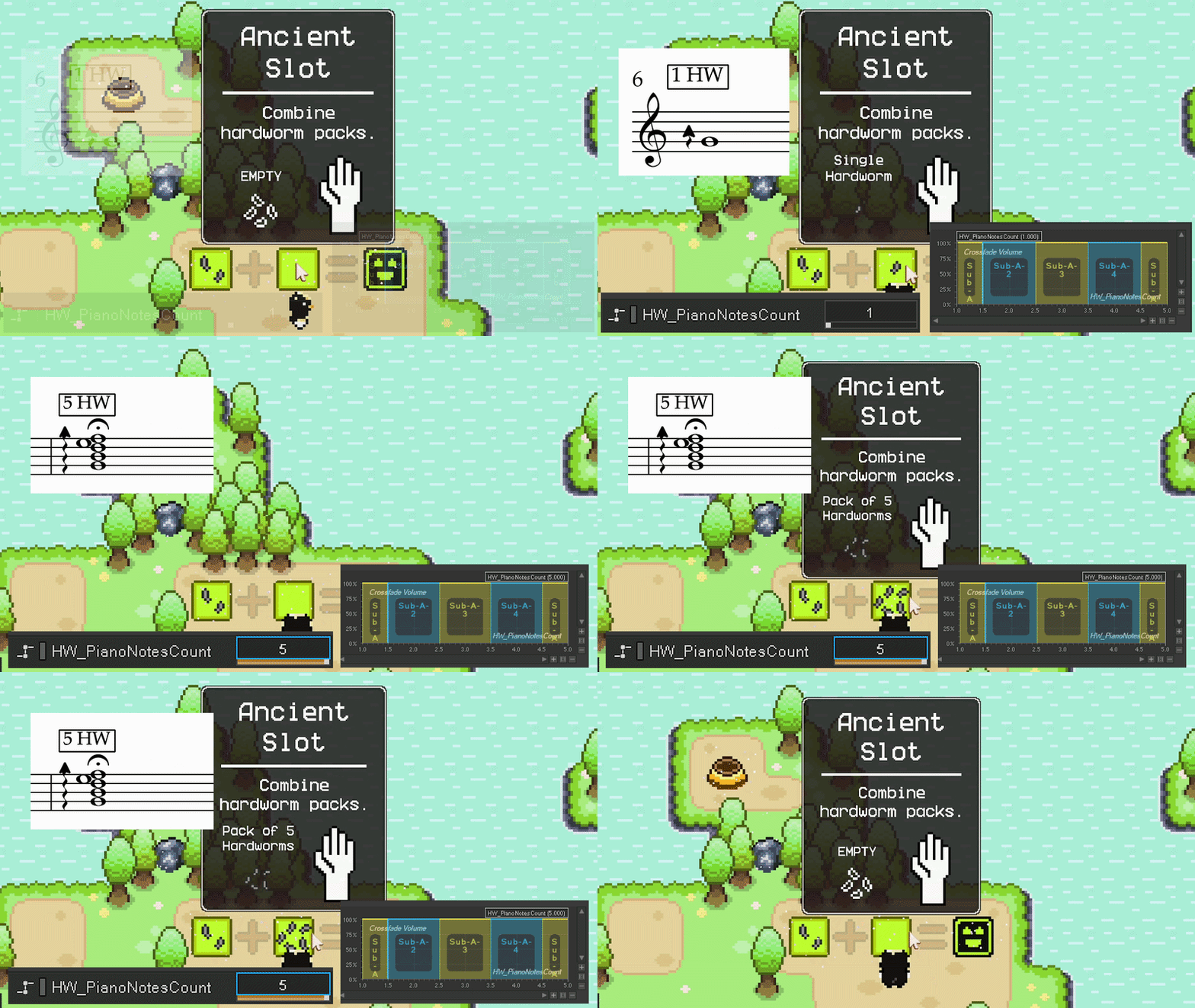
Hardworm sounds are parameterized by quantity. A single hardworm and a pack of five hardworms trigger the same musical idea through different parameter values, letting Wwise change voicing, density, and variation without requiring five separate gameplay paths.
When a hardworm pack is picked up, the pickup system plays one tick per hardworm. The delay is short enough to feel like one gesture, but the count is still legible.
public void PlayPickup(HardwormPackDefinition packDef)
{
    int plays = packDef != null ? Mathf.Max(1, packDef.packSize) : 1;
    PlayPickupCount(plays);
}

private IEnumerator PlaySequence(int plays)
{
    Game.Ctx.Audio.PlayCueGlobal(pickupCue);

    for (int i = 1; i < plays; i++)
    {
        if (delayBetweenPlays > 0f)
            yield return new WaitForSecondsRealtime(delayBetweenPlays);

        Game.Ctx.Audio.PlayCueGlobal(pickupCue);
    }
}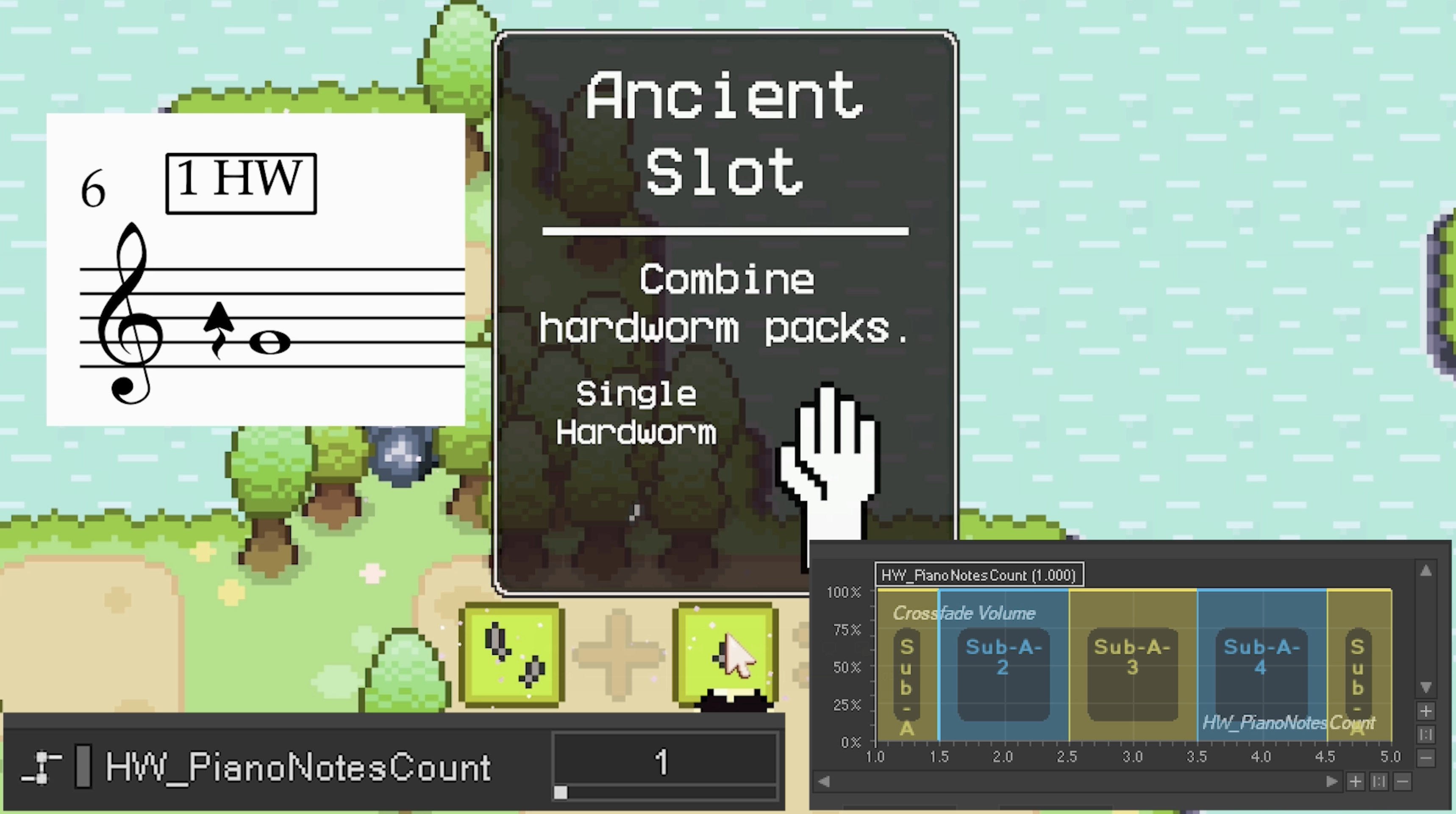
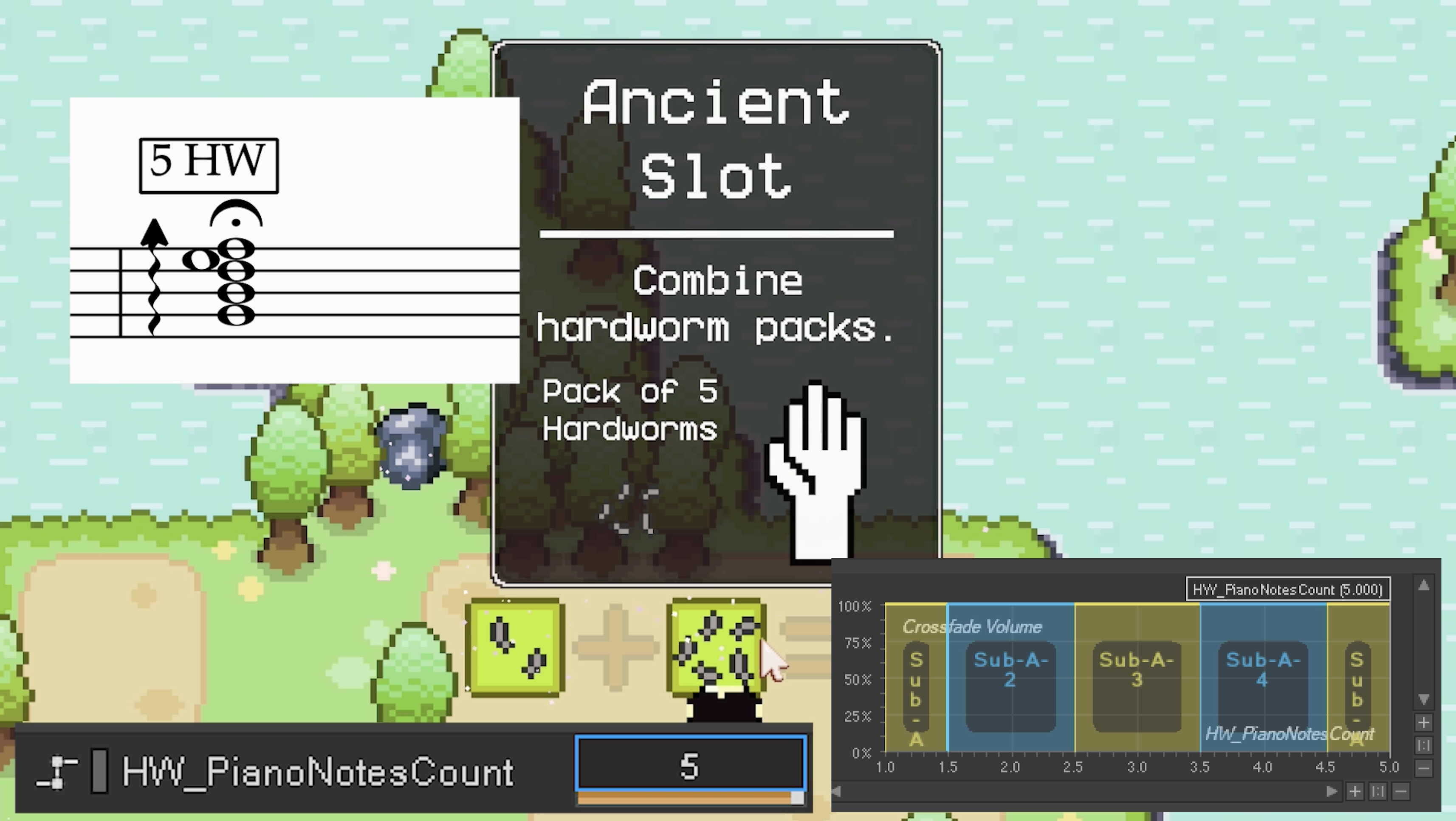
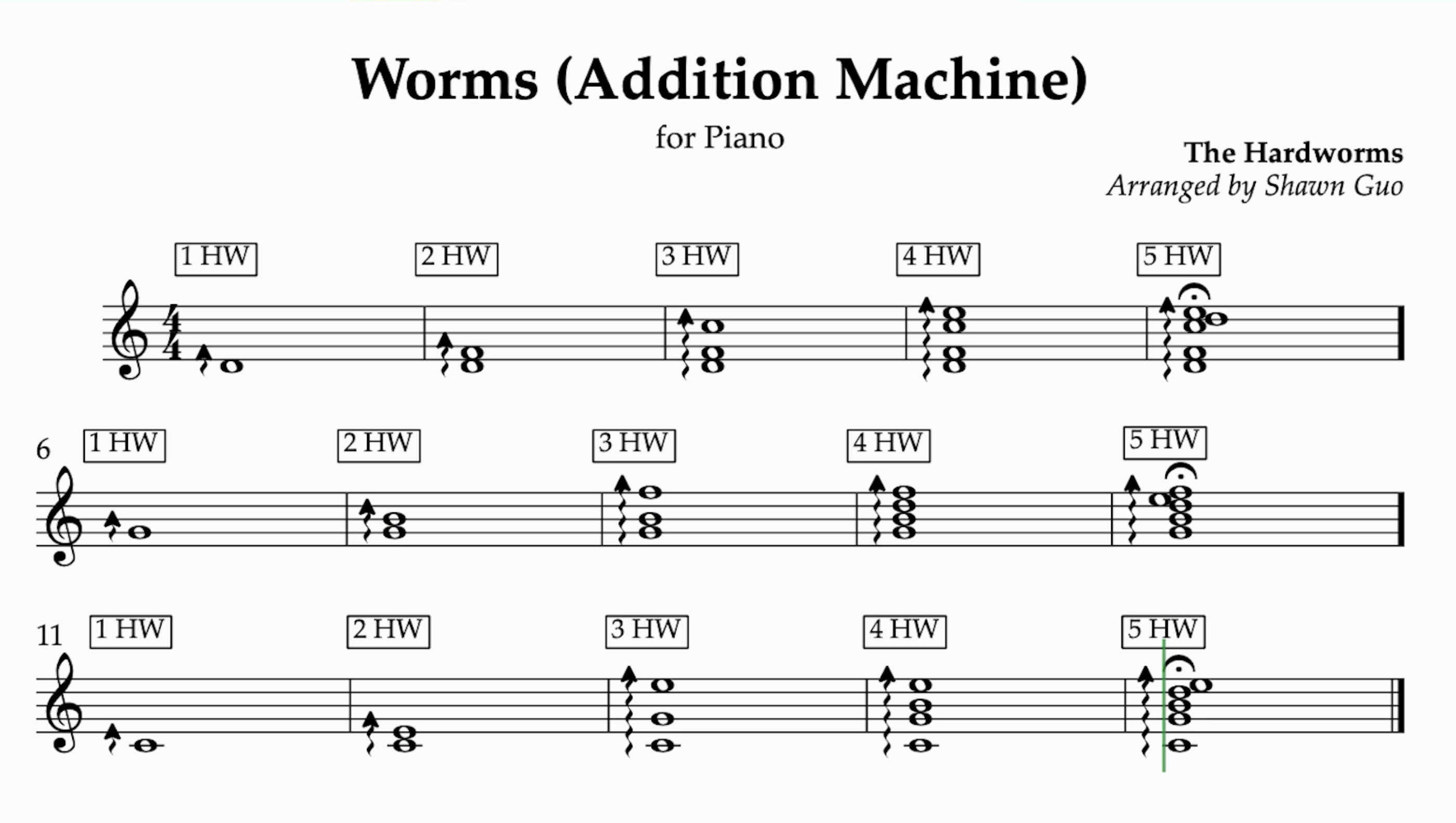
For machine interactions, the same hardworm count drives a Wwise RTPC before the cadence cue plays. The RTPC is clamped to a musical range: one hardworm can be a root note, while larger packs can open into fuller chord voicings.
private int ClampNotes(int raw)
{
    if (raw <= 1) return 1;
    if (raw >= 5) return 5;
    return raw;
}

private void SetNotesRtpc(int notes)
{
    if (notesCountRtpc == null || !notesCountRtpc.IsValid) return;
    Game.Ctx.Audio.SetGlobalRtpc(notesCountRtpc, notes);
}
Cadences From Machine Logic
The addition and subtraction machines do not just play generic placement sounds. They choose cues based on the machine’s interaction state. An addition machine resolves toward a ii-V-I cadence, while a subtraction machine moves through a more deceptive shape.
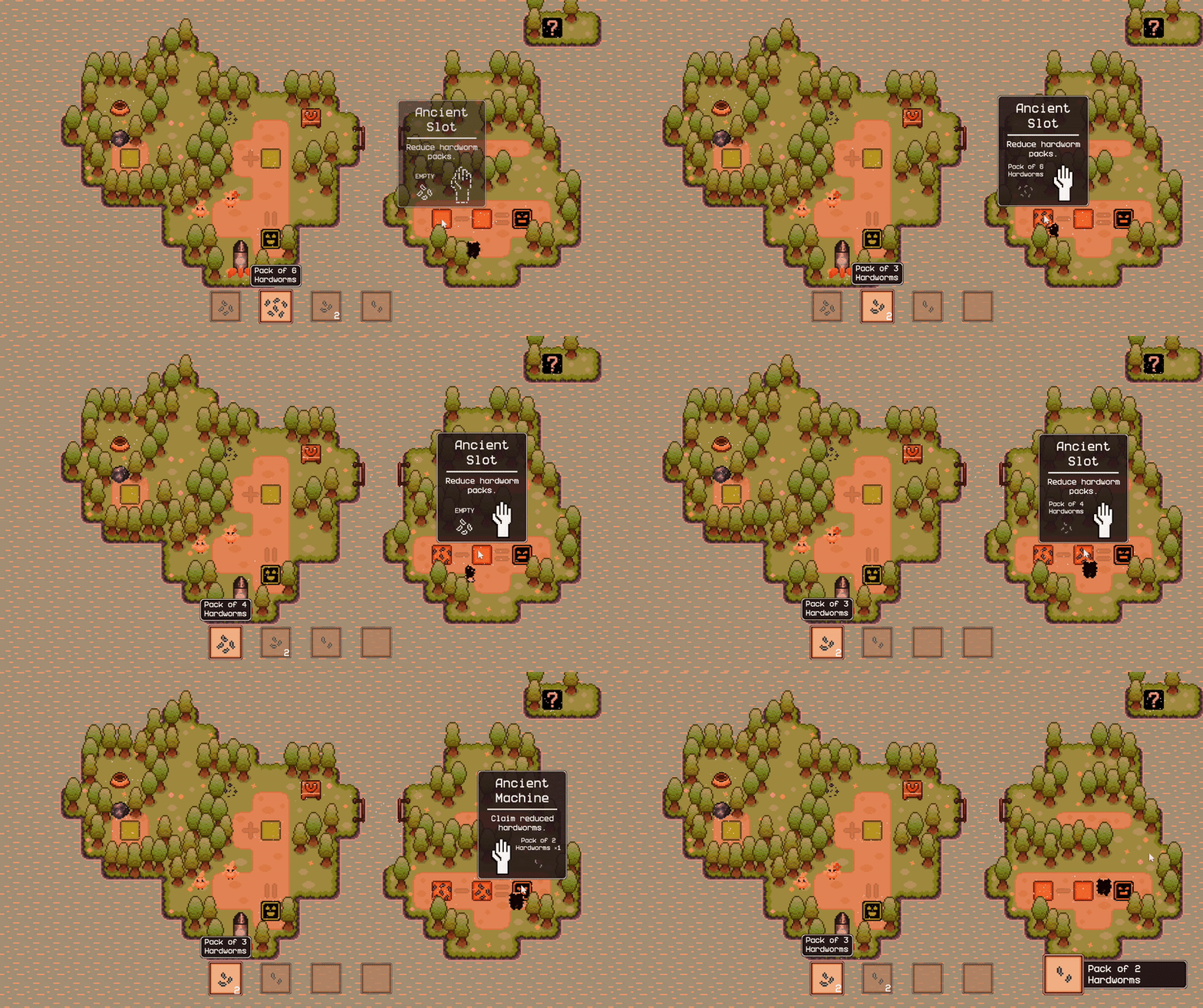
When the player places a pack into an input slot, the slot triggers the cadence system with the pack size. The machine determines whether this is the first or second input, and the audio script chooses the corresponding cue and music-state callback.
public void PlayPlacement(AdditionSlot placingSlot, int packSize)
{
    if (!Game.IsReady) return;

    int notes = ClampNotes(packSize);
    SetNotesRtpc(notes);

    bool wasBothEmpty =
        _machine != null && _machine.WereBothInputsEmptyBeforePlacing(placingSlot);

    var cue = wasBothEmpty ? cueA_Dm9 : cueB_G9;
    if (cue != null && cue == cueA_Dm9)
        onSwitchToDm?.Invoke();
    else if (cue != null && cue == cueB_G9)
        onSwitchToG?.Invoke();

    Game.Ctx.Audio.PlayCueGlobal(cue);
}
When the player takes the machine output, the result value drives the final voicing and cadence resolution.
int result = machine.Result;
var outDef = Game.Ctx.ItemDb.GetHardwormByPackSize(result);
if (outDef == null)
    return;

bool added = Game.Ctx.Inventory.TryAdd(outDef.itemId, 1);
if (!added)
    return;

var cadenceSfx = machine.GetComponent<AdditionMachineCadenceSfx>();
cadenceSfx?.PlayOutputPickup(result);

var cadenceSfxSub = machine.GetComponent<SubtractionMachineCadenceSfx>();
cadenceSfxSub?.PlayOutputPickup(result);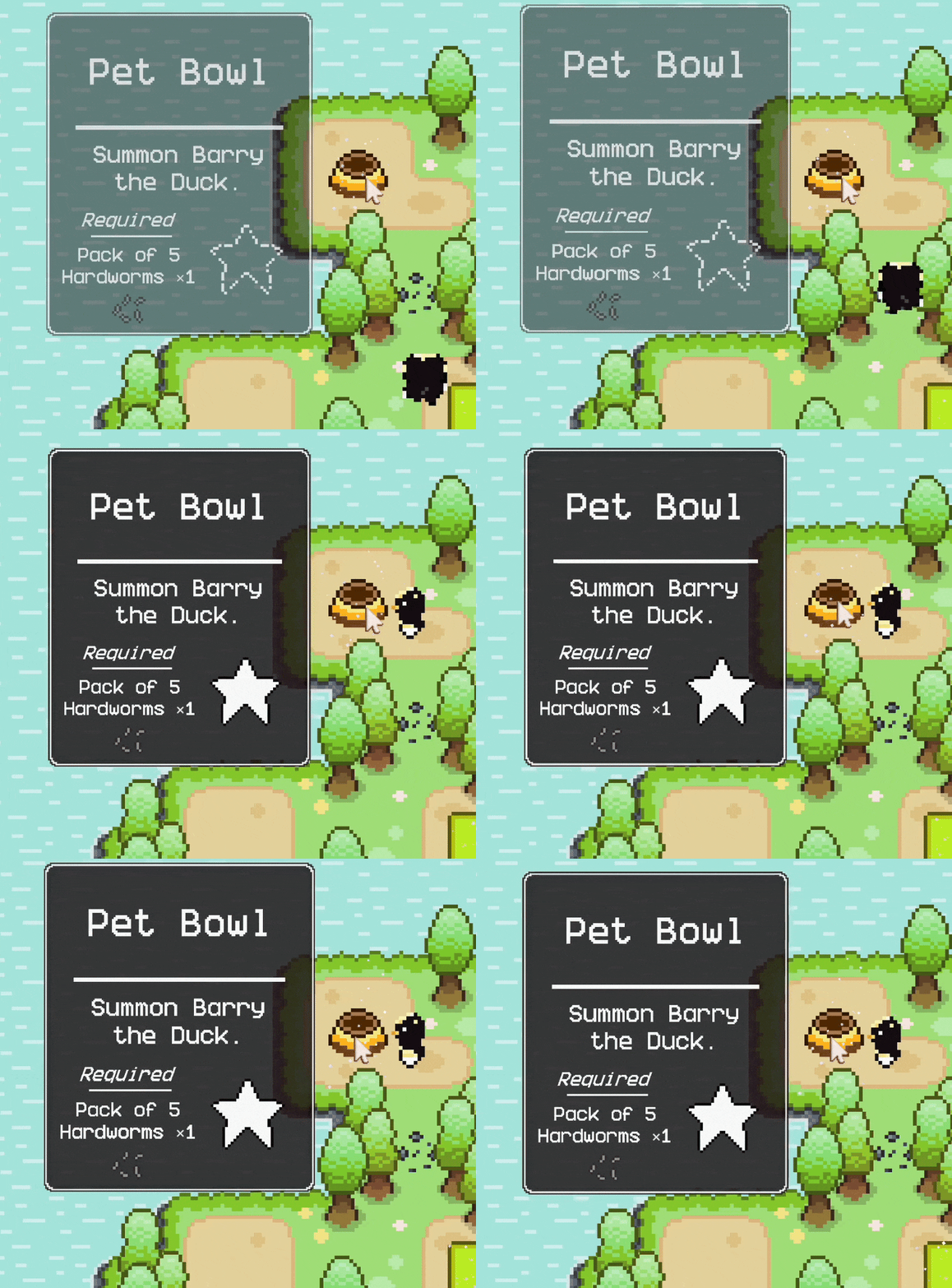
Puzzle Music State Switching
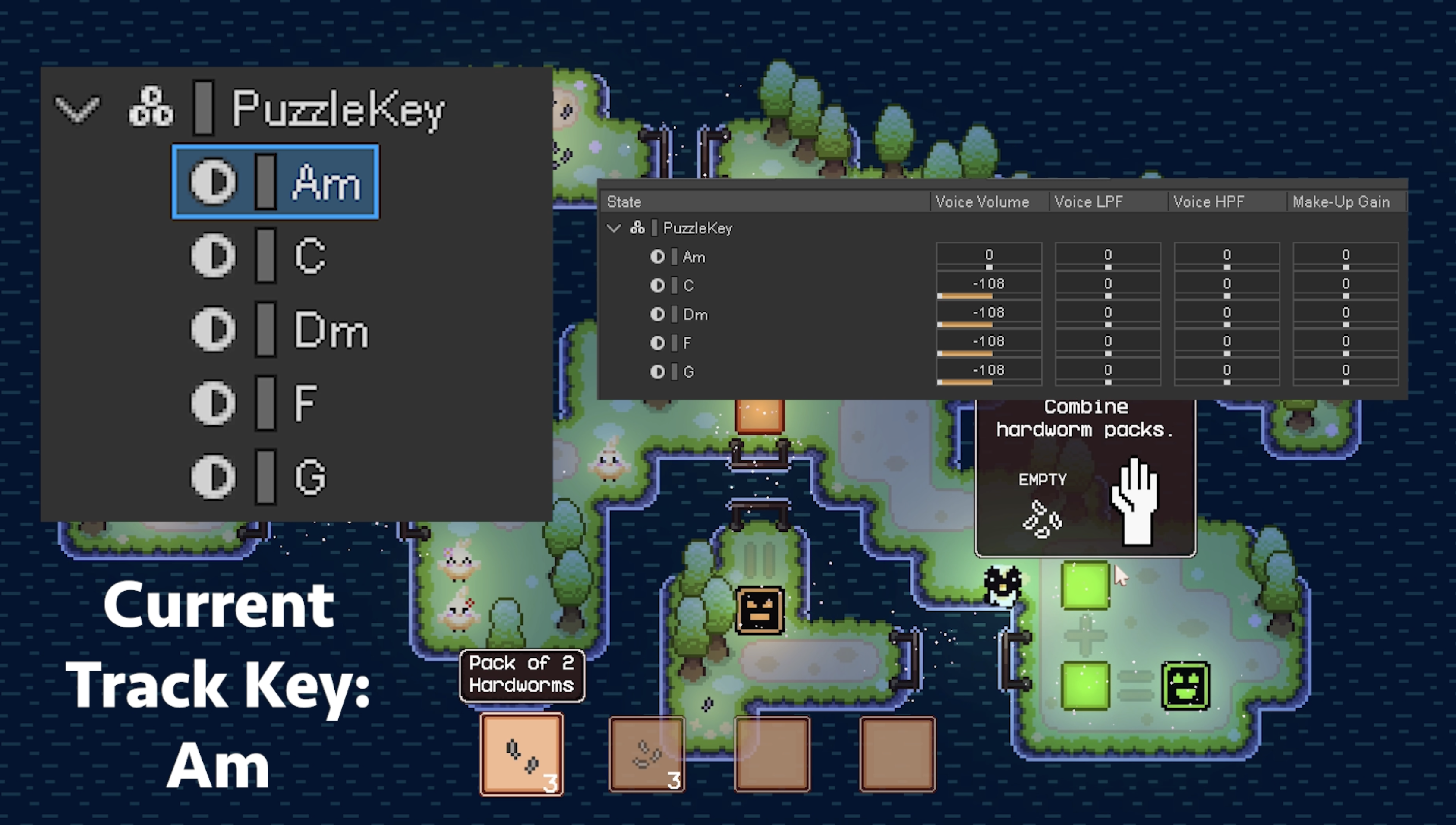
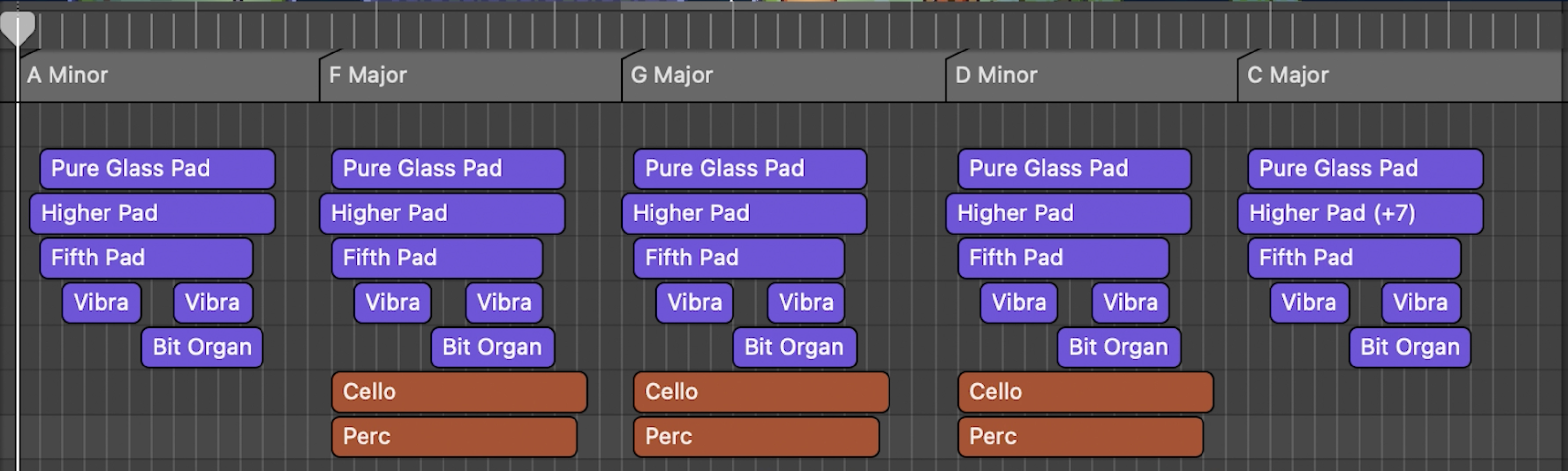
The puzzle music system uses one looping theme with multiple harmonic versions in Wwise. Instead of restarting the music when the puzzle changes, gameplay updates a Wwise state, allowing Wwise to crossfade the harmonic layer underneath continuous playback.
On the Unity side, the music player exposes small UnityEvent-friendly methods like SwitchToDm, SwitchToG, and SwitchToC. The machine cadence components invoke those methods when the player changes the machine state.
public sealed class PuzzleMusicPlayer : MusicPlayerBase
{
    [SerializeField] private AudioStateGroup puzzleKeyGroup;
    [SerializeField] private AudioStateValue keyAm;
    [SerializeField] private AudioStateValue keyC;
    [SerializeField] private AudioStateValue keyDm;
    [SerializeField] private AudioStateValue keyF;
    [SerializeField] private AudioStateValue keyG;

    private void SetKey(AudioStateValue value)
    {
        if (!Game.IsReady || puzzleKeyGroup == null || value == null)
            return;

        Game.Ctx.Audio.SetState(puzzleKeyGroup, value);
    }

    public void SwitchToAm() => SetKey(keyAm);
    public void SwitchToC()  => SetKey(keyC);
    public void SwitchToDm() => SetKey(keyDm);
    public void SwitchToF()  => SetKey(keyF);
    public void SwitchToG()  => SetKey(keyG);
}
Authoring and Iteration
The useful part of this architecture is that the behavior is visible and adjustable at the level where design decisions happen. A machine can expose cue references, RTPC assets, and UnityEvent callbacks in the Inspector, while the lower-level audio system remains centralized and consistent.
That gives the project a better workflow:
- gameplay code decides what happened in puzzle terms
- ScriptableObjects describe which Wwise concepts are relevant
- the audio model validates and resolves those assets
- Wwise handles playback, parameters, states, and musical transitions
Placing a hardworm now changes voicing, cadence, and harmonic direction, making the puzzle system feel more alive without making the gameplay scripts know how Wwise is built internally.