
lossy-audio-lab.md
Lossy Audio Lab
A C++ desktop app for previewing audio under packet loss, jitter, Opus recovery, redundancy, FEC, and PLC.
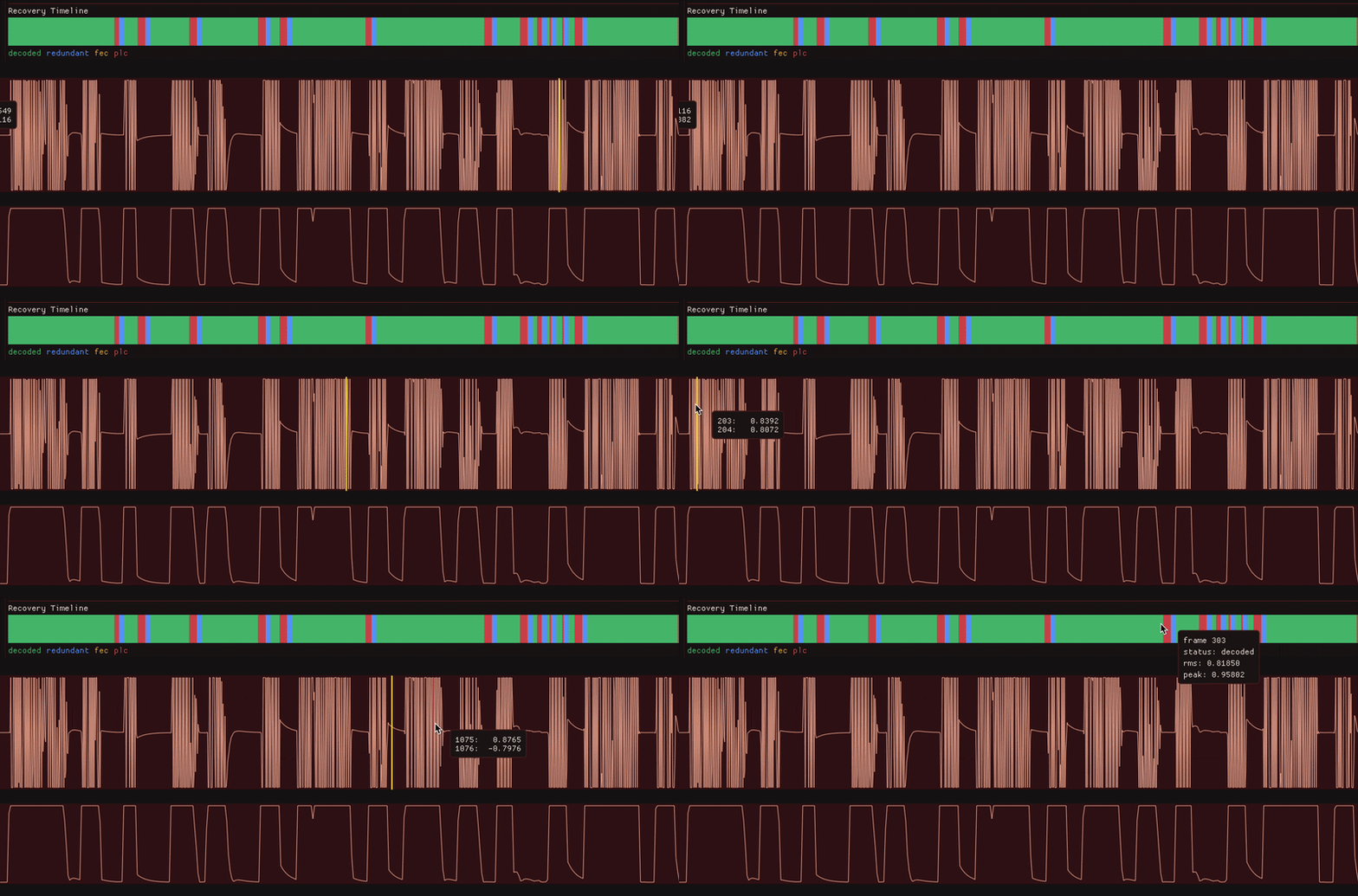

Overview
Lossy Audio Lab is a desktop tool for auditioning what packet loss and jitter can do to your audio. It loads WAV or MP3 files, packetizes the decoded audio into 10 ms frames, encodes those frames with Opus, applies repeatable network impairment, and plays back the recovered result with waveform, frame energy, latency, and recovery-status visualization.
I made this since network-audio artifacts are easy to describe badly and hard to judge without listening. Something like “20% packet loss” doesn’t really tell me whether a music loop will click, smear, duck in level, or be completely unusable. A useful version of the tool needed to make those failures audible while also showing what a recovery layer does.
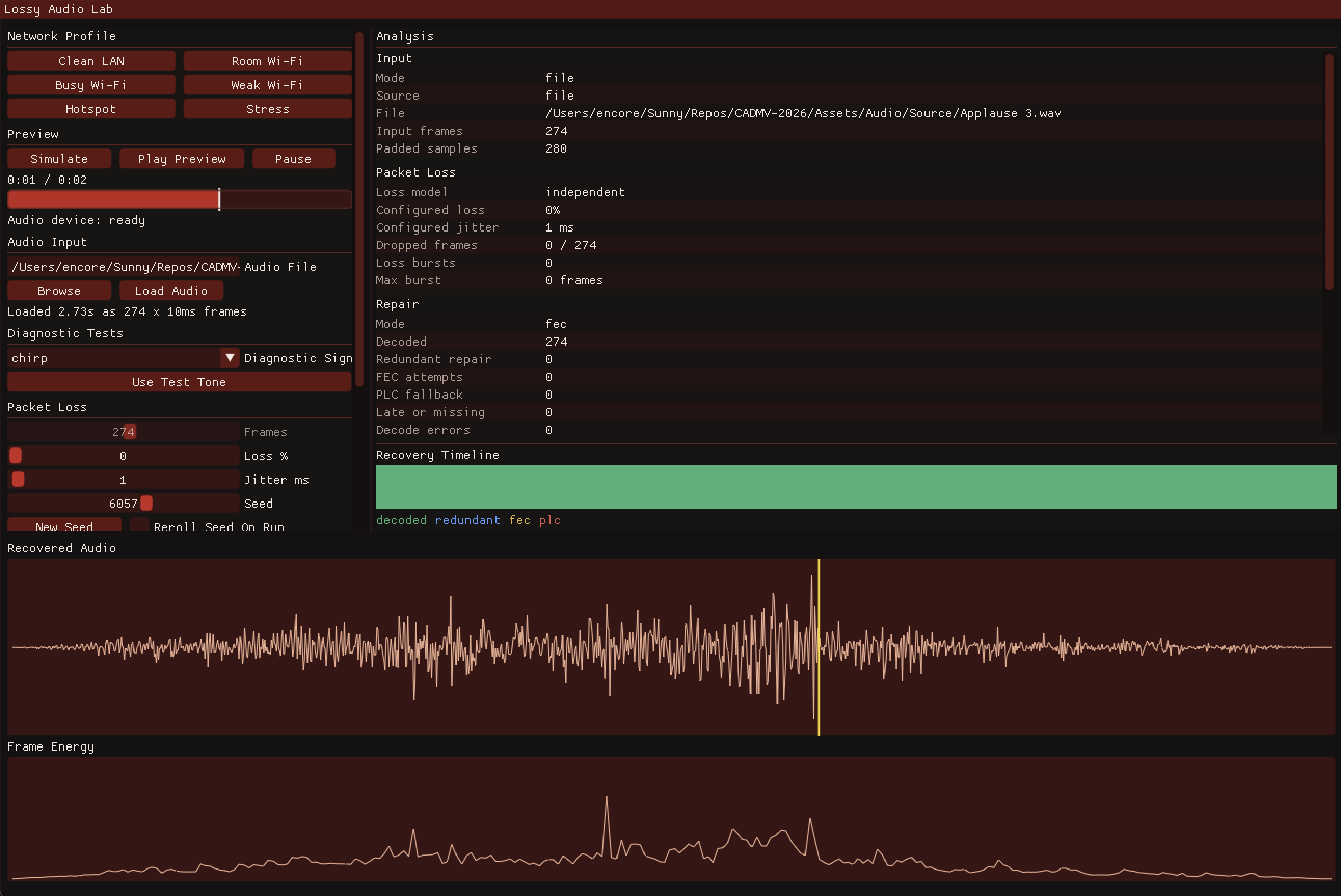
This isn’t a full Zoom, Discord, or Wi-Fi emulator. The network side uses controlled impairment, and the codec side is real Opus encode/decode behavior, including decoder PLC, in-band FEC, and redundant repair packets. That makes this project useful as a listening lab, so it’s repeatable enough for comparison and also enough to produce familiar “bad Zoom call” artifacts.
Starting With UDP Frames
The first version was a local UDP loopback. Each audio packet carried a small header and one 10 ms mono float frame: 480 samples at 48 kHz. The receiver played frames out through a jitter buffer and reported network latency, playout latency, inter-arrival timing, underruns, and missing packets.
Before adding a GUI or a codec, I wanted the basic timing model to be clear. Packets are generated at audio rate, they can arrive late or not at all, and the receiver needs to decide when it is time to play something.
struct OpusSimulationSettings {
    int loss_percent = 20;
    int jitter_ms = 25;
    int bitrate_bps = 64000;
    int redundancy_frames = 3;
    int jitter_depth_frames = 6;
    OpusRecoveryMode recovery_mode = OpusRecoveryMode::fec;
};
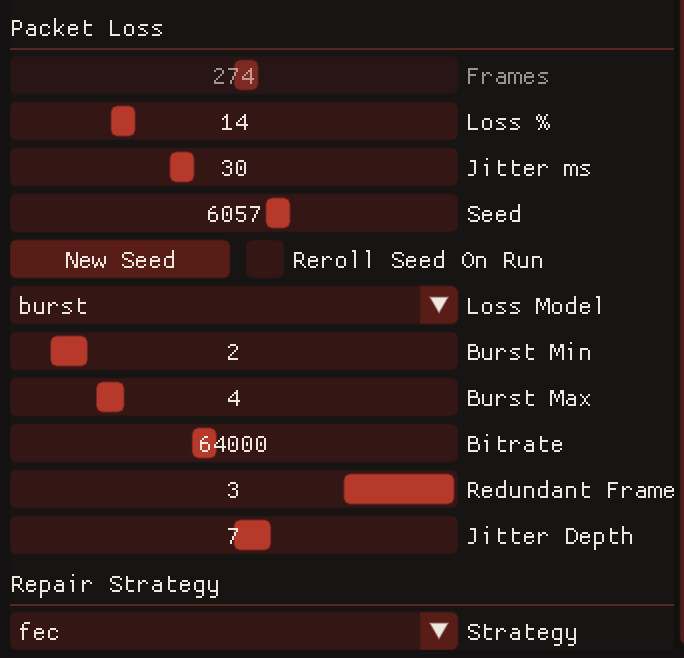
The app kept that structure. The GUI presets are just named configurations over the same variables: loss rate, jitter range, burst length, Opus bitrate, redundancy depth, and receiver playout depth. In the future to make this more usable, I want a better way to save custom presets.
PLC Attempts
I started with homegrown packet-loss concealment before moving to Opus. The first modes were really simple: silence for missing frames, repeat the previous audio, estimate a waveform period, and interpolate a fractional period.
A steady sine wave made the better modes look almost solved. With a 440 Hz tone, fractional-period continuation measured very close to the clean reference. This was encouraging but I was being naive.
I then used a chirp diagnostic (simple sound with rising pitch) which exposed the problem more. A 10 ms frame is not guaranteed to begin and end at compatible waveform phases. For a 440 Hz sine, 10 ms contains 4.4 cycles, so repeating a whole packet restarts the waveform at the wrong phase. Estimating the signal period fixed the sine case, but a chirp changes pitch during the missing span, so the period estimate becomes stale before the audio resumes.
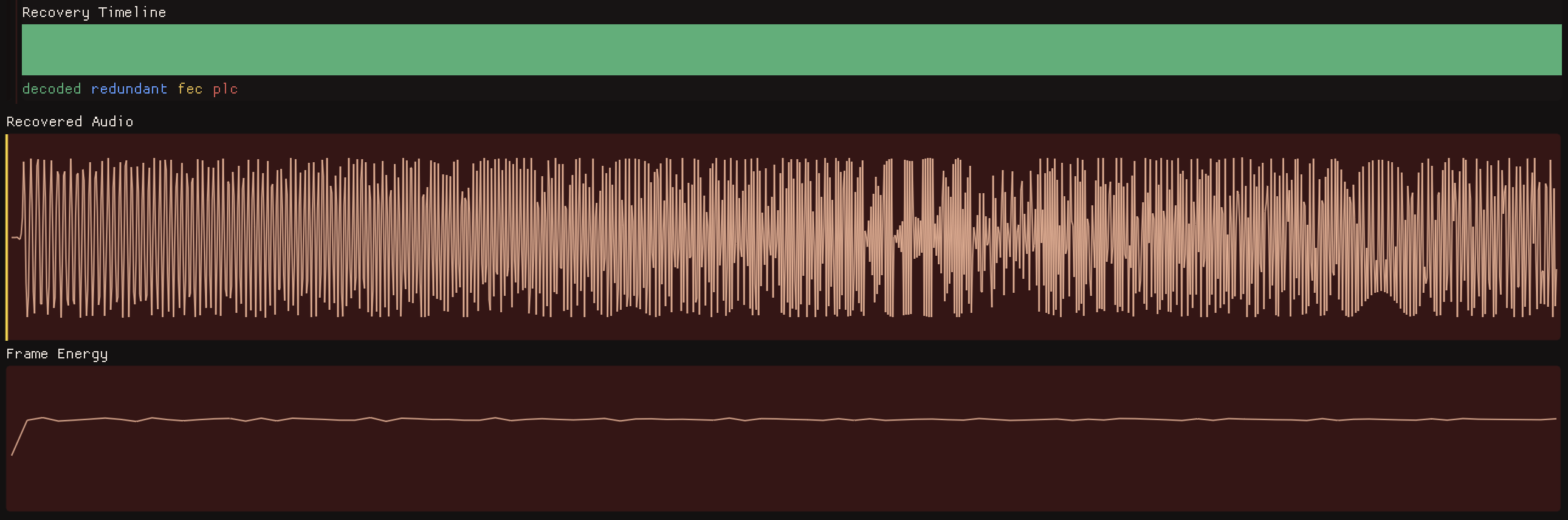
Above is the clean chirp over LAN, and below is the much lossier chirp.
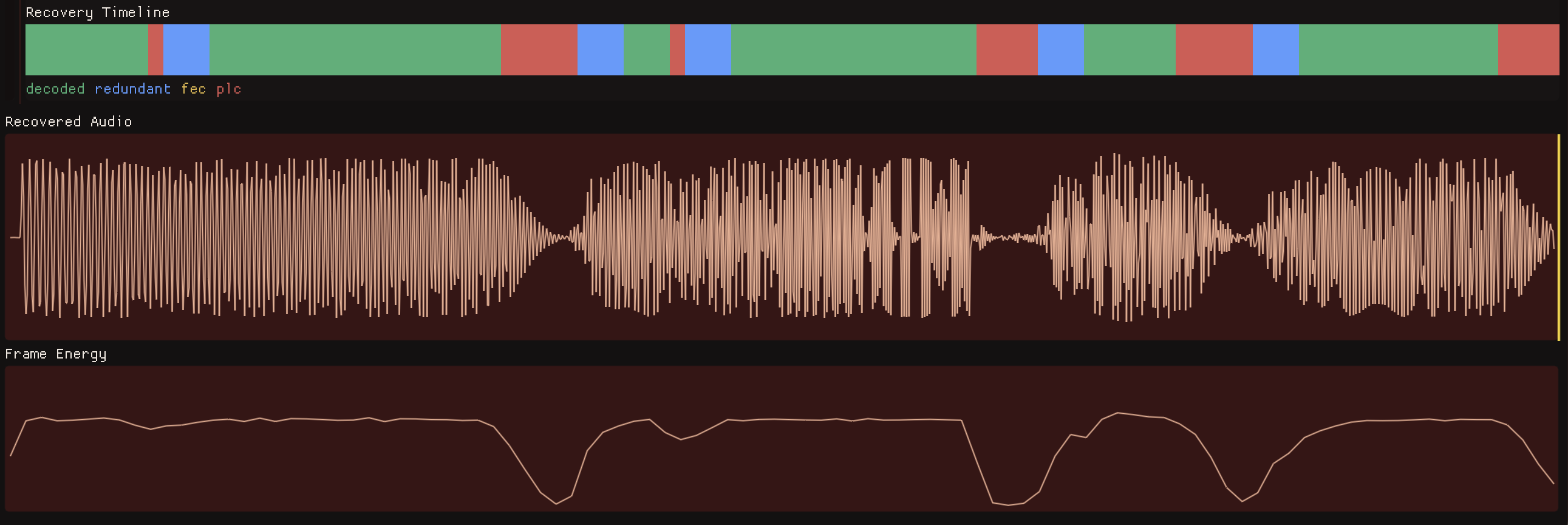
That was a pretty useful failure in the project. I kept the diagnostic sine and chirp sources in the app, but I reframed them as probes rather than the main user workflow.
Using Opus
The next step was to use Opus as the baseline. Instead of sending raw float frames and inventing a recovery strategy myself, the simulator encodes each 10 ms frame into an Opus packet and decodes in playout order.
opus_encoder_ctl(encoder, OPUS_SET_BITRATE(settings.bitrate_bps));
opus_encoder_ctl(encoder, OPUS_SET_SIGNAL(OPUS_SIGNAL_MUSIC));
opus_encoder_ctl(encoder, OPUS_SET_PACKET_LOSS_PERC(settings.loss_percent));

if (settings.recovery_mode == OpusRecoveryMode::fec) {
    opus_encoder_ctl(encoder, OPUS_SET_INBAND_FEC(1));
}
When a packet is missing and no repair path succeeds, the receiver calls the Opus decoder with a null packet for exactly one 480-sample frame. That gives the project decoder-side PLC instead of a custom (jank) approximation.
The difference was immediately clear, since Opus PLC reduced sharp discontinuities, especially compared with dropping to silence or repeating badly aligned raw frames. But it also did not magically reconstruct the missing content, of course. On chirps and music, repeated loss could still produce low-energy smears and dropouts. It definitely did make the failures a lot less ugly.
FEC, Redundancy, and the Timeline
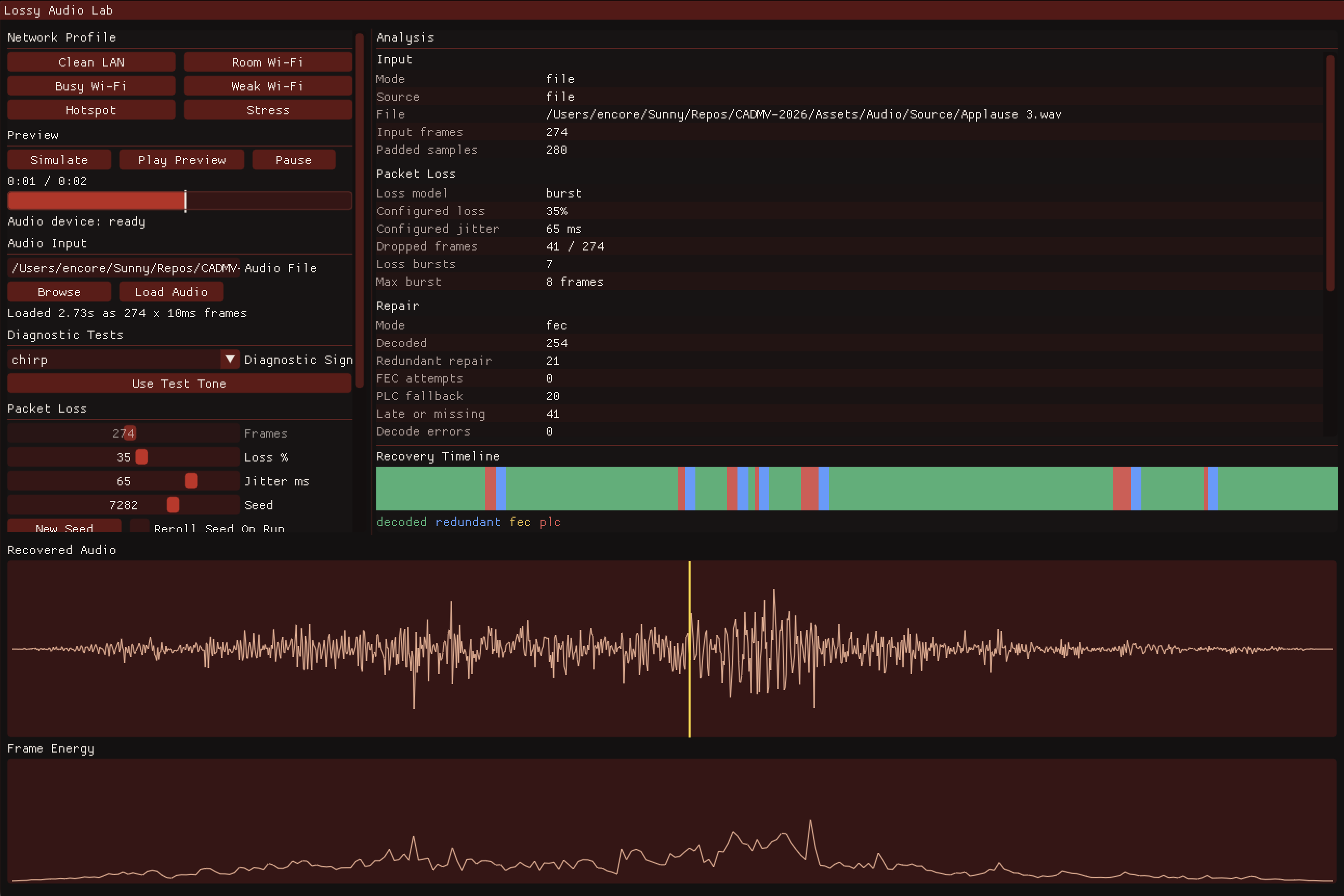
The final recovery model has three distinct repair outcomes, which the app shows in the recovery timeline:
decoded: the primary packet arrived before playout.redundant: a later packet carried a copy of the missing Opus packet.fec: Opus in-band FEC recovered the previous frame from the next packet.plc: the decoder had to conceal because no real repair data was available.

The recovery order is deliberate. If the primary packet is unavailable, the receiver first searches later packets for an explicit redundant repair copy. If that fails and FEC is enabled, it tries to decode in-band FEC from the next packet. If neither path works, it falls back to Opus PLC.
if (!recovered && settings.recovery_mode == OpusRecoveryMode::fec &&
    sequence + 1 < encoded_frame_count) {
    const auto carrier_index = static_cast<std::size_t>(sequence + 1);
    if (!dropped[carrier_index] && arrival_ms[carrier_index] <= playout_ms) {
        decode_fec_attempt(decoder, bundles[carrier_index].primary, output, result);
        report.status = OpusFrameStatus::fec_attempt;
        ++result.fec_attempts;
        recovered = true;
    }
}

if (!recovered) {
    decode_plc(decoder, output, result);
    report.status = OpusFrameStatus::plc;
    ++result.plc;
}
A bad run with mostly red PLC frames sounded like softened missing audio. A run with many blue redundant frames sounded much closer to the original because the receiver was not guessing, and was decoding real Opus packets that survived inside later payloads.


A pretty big lesson for me was that better concealment was not always the best fix. When LAN bandwidth and latency budget allow it, sending redundant repair data can avoid concealment entirely.
The packet bundle format is small: one primary Opus packet plus descriptors and payloads for a bounded number of recent packets.
const auto requested_count = std::min({
    requested_redundant_frames,
    redundancy_history_oldest_first.size(),
    kMaxRedundantOpusFrames
});

for (std::size_t i = 0; i < requested_count; ++i) {
    const auto& repair =
        redundancy_history_oldest_first[redundancy_history_oldest_first.size() - 1U - i];
    const auto next_size = projected_payload_size + kRepairDescriptorBytes + repair.payload_size;
    if (next_size > protocol::kMaxPayloadBytes) {
        break;
    }
    projected_payload_size = next_size;
    ++serialized.redundant_packet_count;
}
Jitter Buffering
Packet loss was only half of the problem, since a packet can be present and still be unusable if it arrives after its playout time. The receiver needs a jitter buffer, which would make enough delay to absorb bursty arrivals, but not so much that playback feels slow.
I tested this with a no-loss jitter scenario to isolate timing failures. A fixed 3-frame buffer played about 30 ms behind send time and produced 18 concealed frames in the stress run. An adaptive buffer raised its target depth as inter-arrival timing became burstier; it averaged 4.8 frames, peaked at 6, and reduced timing-caused concealment to 1 frame. The cost was higher average playout latency, around 52 ms instead of 32 ms.
That result shaped the presets. The harsher profiles do not just increase loss and jitter; they also increase redundancy and jitter depth. For a playback preview tool, I decided that slightly more latency was acceptable if it made the recovered audio smoother.
Making the Tool
The project became much more useful when it became a more focused listening interface. Lossy Audio Lab can load WAV or MP3 files through miniaudio, resample to the project format, and run the same packetization/recovery path used by the generated diagnostics. The GUI was made with C++ Dear ImGui.
LoadedAudio loaded = load_audio_file_mono_48k(path);
settings.input_samples = std::move(loaded.samples);
settings.input_mode = InputMode::file;
settings.frame_count = static_cast<int>(
    (settings.input_samples.size() + kFrameSamples - 1U) / kFrameSamples);

result = run_with_seed_policy(settings, playback, reroll_seed_on_run);
The app also needed normal playback ergonomics: run, play, pause, scrub, and compare presets without reloading the file.
Profiling The DSP
I also used the project to revisit SIMD profiling. The DSP benchmark compares scalar code with the active optimized dispatch path. On Apple Silicon, the NEON gain kernel was only about 1.05x faster than scalar in a stable Release run, because the compiler already handled simple multiplication well. Peak detection though was much more different: it measured about 24.5x faster with explicit NEON because reduction work benefits more from vector lanes and horizontal max operations.
dispatch_backend=neon
scalar_apply_gain_ms=351.912
dispatch_apply_gain_ms=335.825
apply_gain_speedup_vs_scalar=1.0479
scalar_peak_abs_ms=5653.39
dispatch_peak_abs_ms=230.618
peak_abs_speedup_vs_scalar=24.5141
SIMD isn’t a blanket win here, since it depended on the shape of the operation. A gain pass is simple enough that the optimizer can already do a good job, while peak detection is a reduction problem where explicit lane-wise maximums and horizontal reduction help much more.
The lower-level UDP, Opus, and DSP executables stayed in the repo as validation tools for the GUI. That keeps the app focused more on listening and visualization while preserving small CL targets for timing, codec, and packet-path checks.